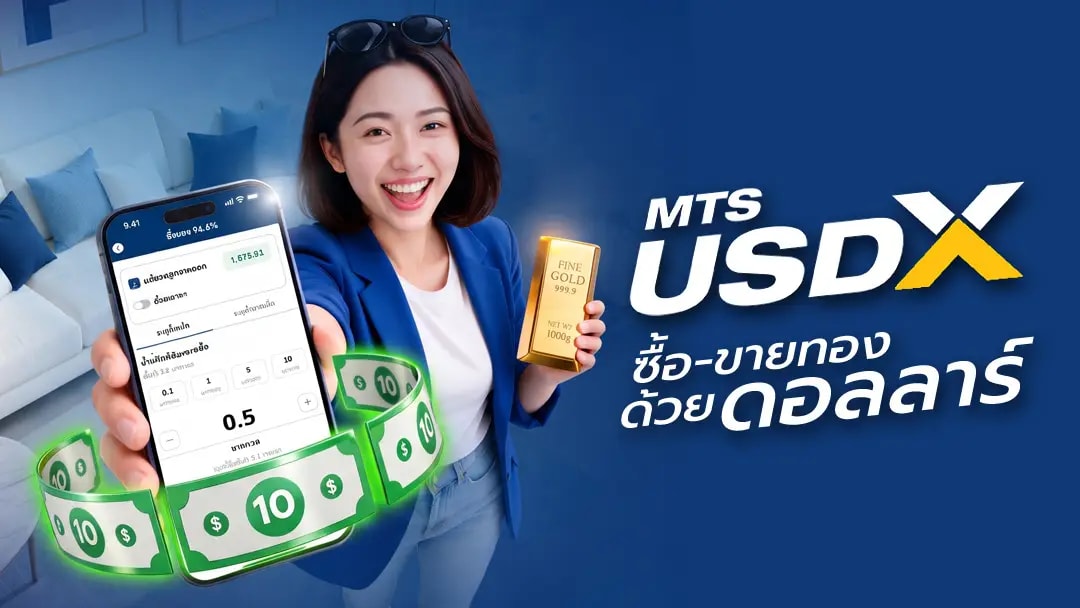

MTS Gold x Dime!
Step into a new era of gold trading! MTS Gold (Mae Thong Suk) partners with Dime! (under Kiatnakin Phatra Group) to offer a seamless, secure, and smart way to save and trade 99.99% international-standard pure gold. Trade effortlessly in THB and USD at real-time global market prices directly on the Dime! app. Start investing with just 100 THB, with flexible options to redeem physical gold bars at MTS Gold branches or delivered to your doorstep.
Features
Trade in THB & USD: Trade 99.99% pure gold instantly in Thai Baht or USD via Dime! FCD account.
Easy Start, Only 100 THB: Accumulate and invest in gold with a minimum starting point of just 0.005 oz (approx. 2.5 USD or 100 Baht only).
Extended Trading Hours: Trade continuously from Monday to Friday, 07:00 AM to 03:00 AM the following day.
Free! Great Value Fees: Zero trading fees, zero commission fees, and zero VAT on trading.
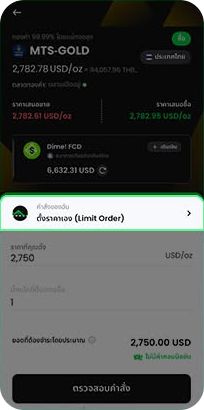
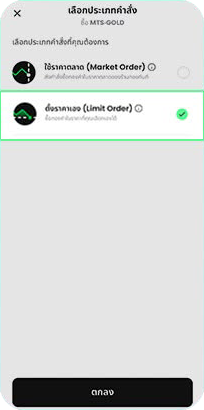
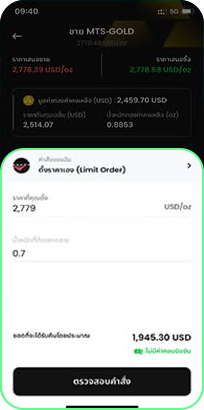
Smart with Limit Order: Set target buy-sell prices in advance without staring at the screen.
Physical Gold Bar Redemption: Collect physical gold bars at Mae Thong Suk branches or select secure home delivery.
How to Use
1. Open Dime! FCD and Gold Accounts
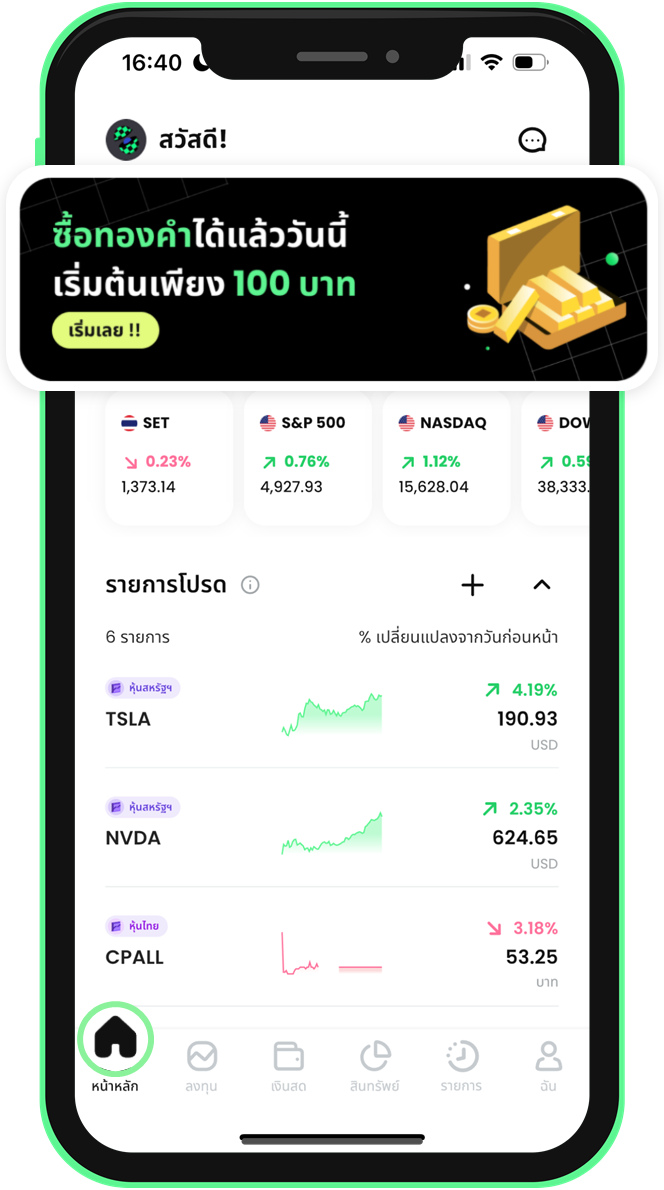 1. Tap the account-opening banner on the home screen
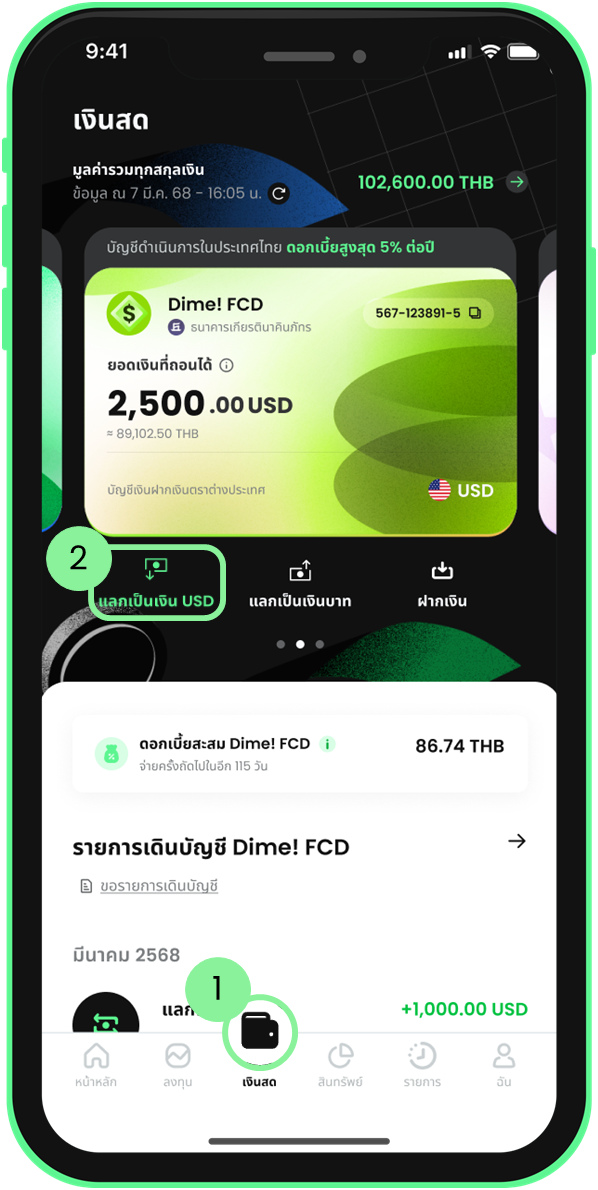 2. Or open an account via the Cash menu and Exchange button
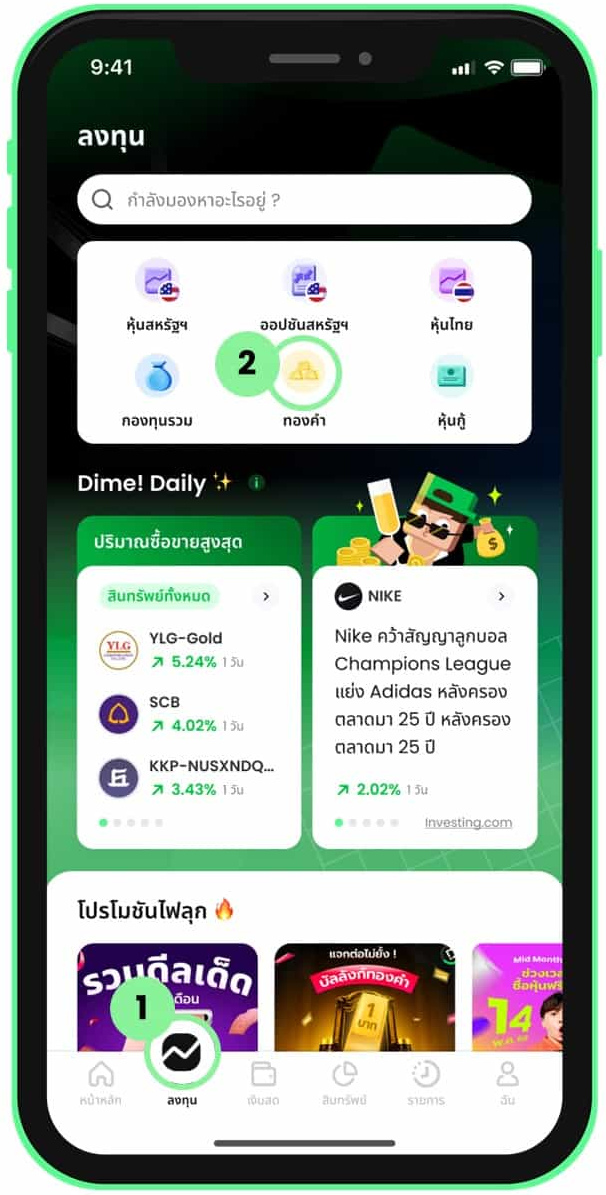 3. Select Gold from the Invest menu
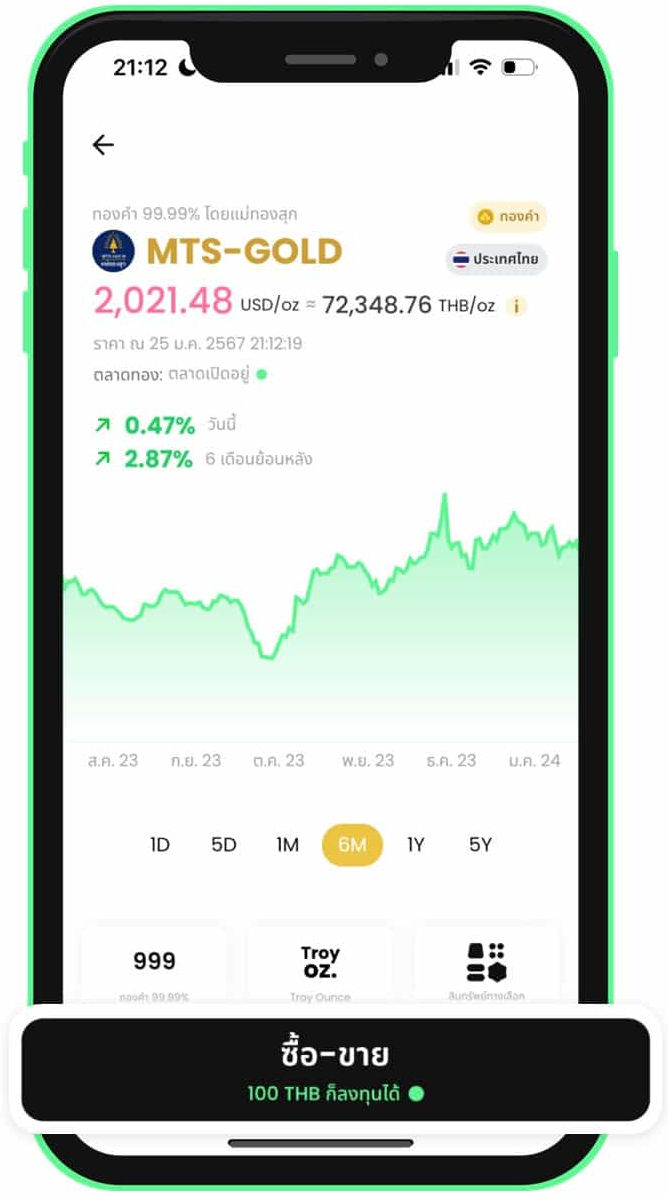 4. Select a gold shop and go to the trading page
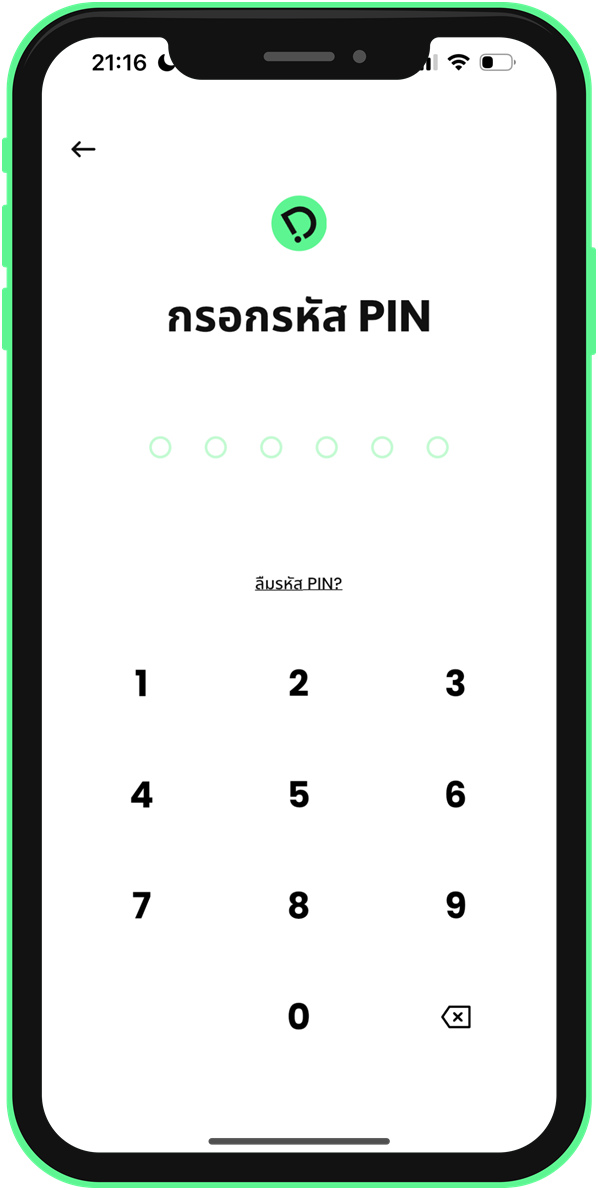 5. Enter your PIN to start opening an account
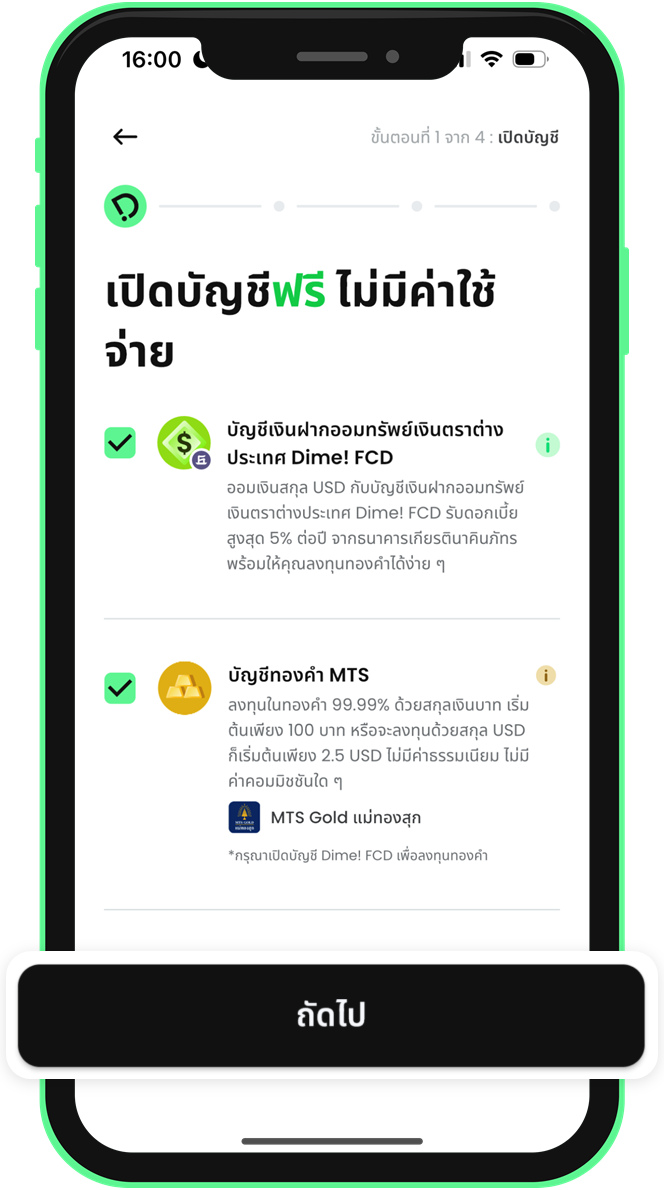 6. Select the Dime! FCD and Gold accounts
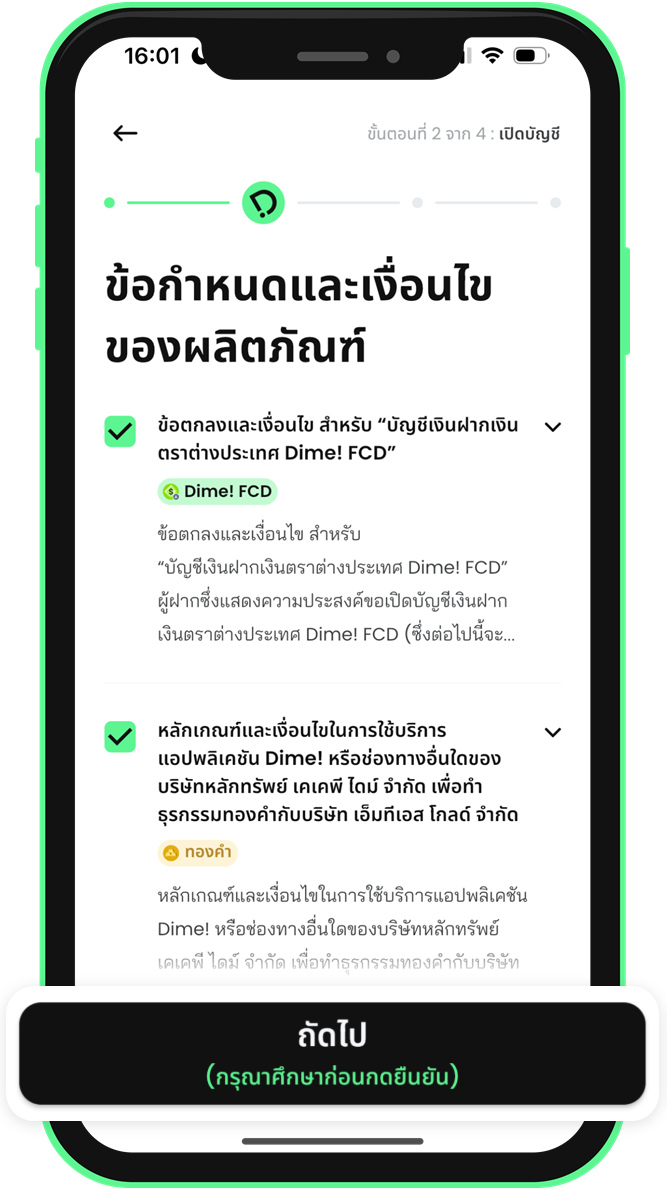 7. Read and accept the product terms
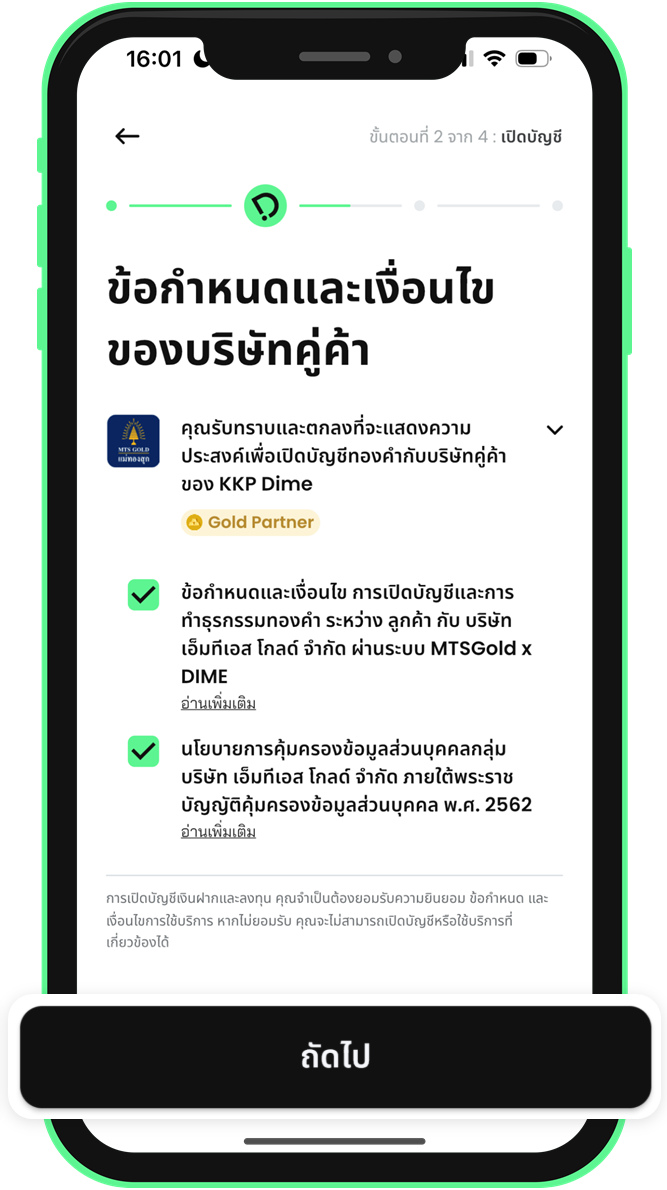 8. Read and accept the partner company terms
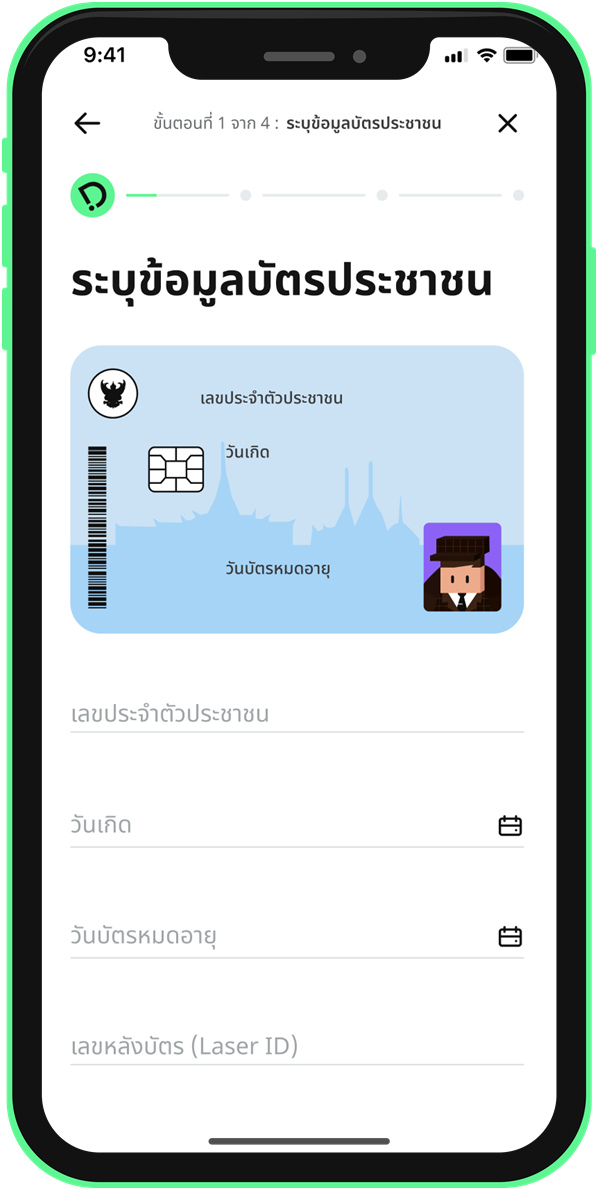 9. Enter your ID card details
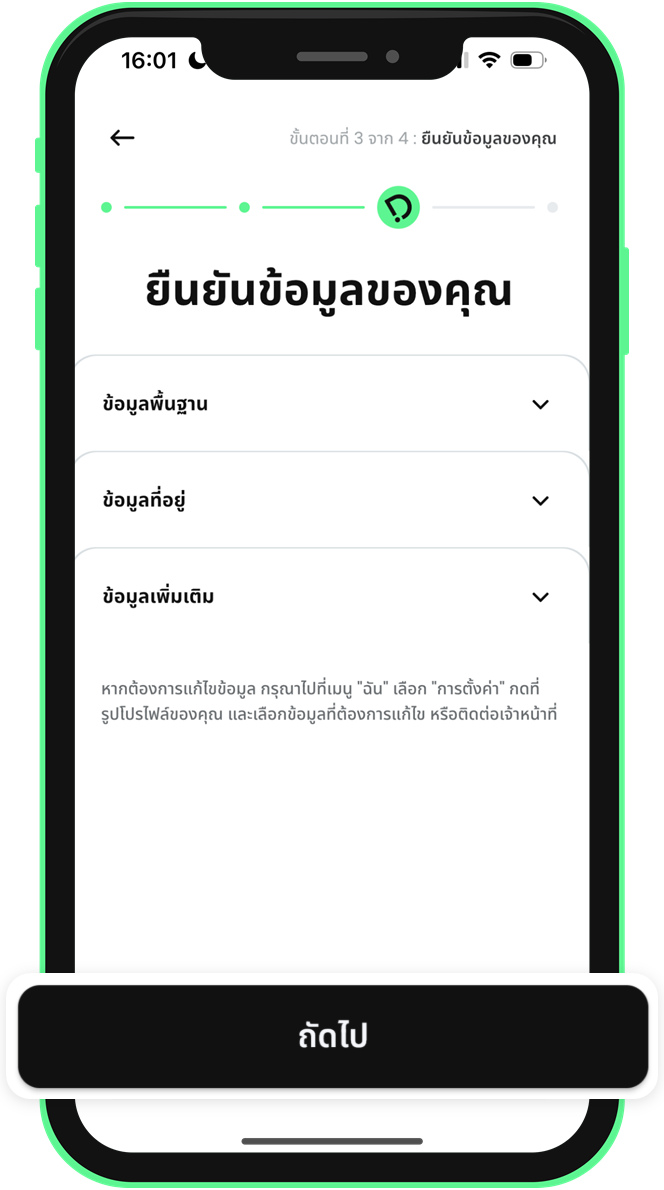 10. Review and confirm your personal details
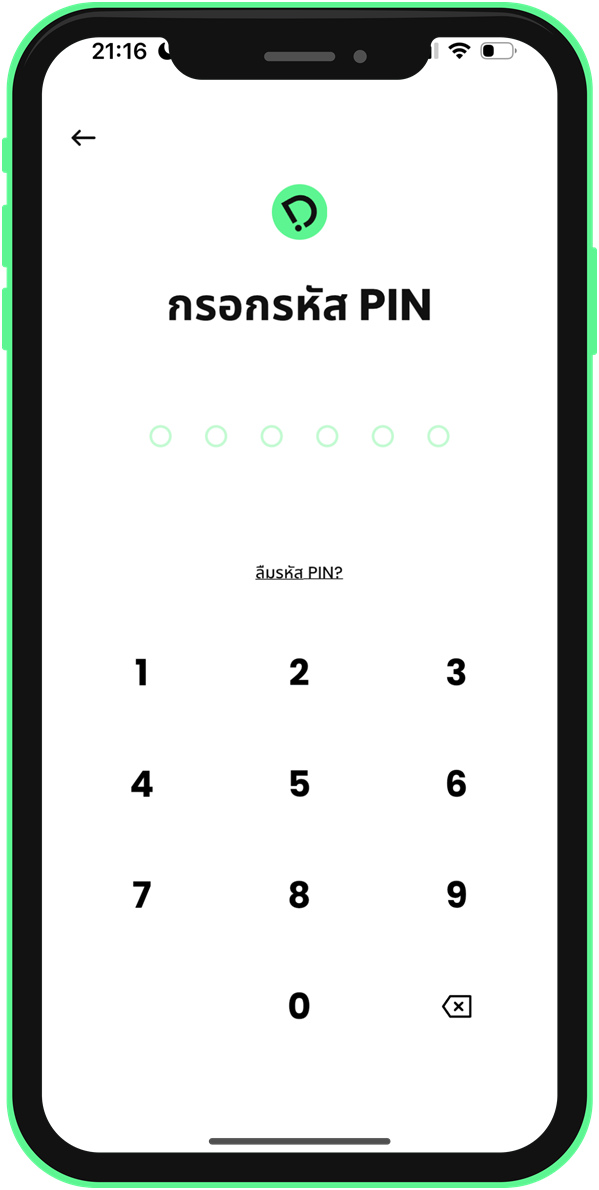 11. Enter your PIN to confirm account opening
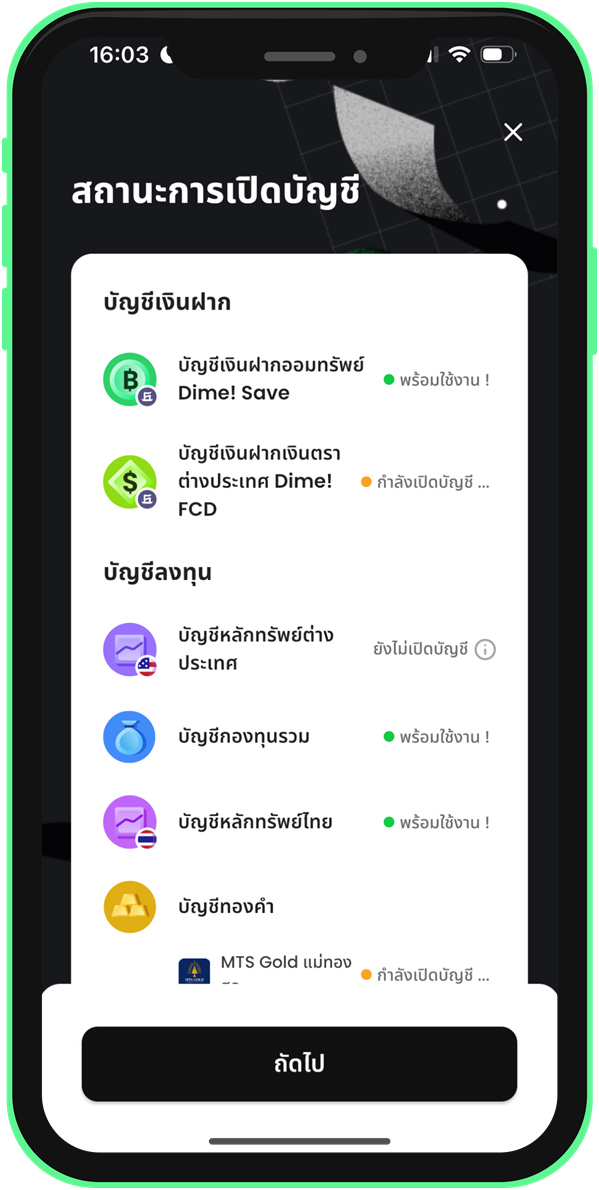 12. Check your account opening status
2. Buy Gold
2.1 Buy Gold with a Limit Order
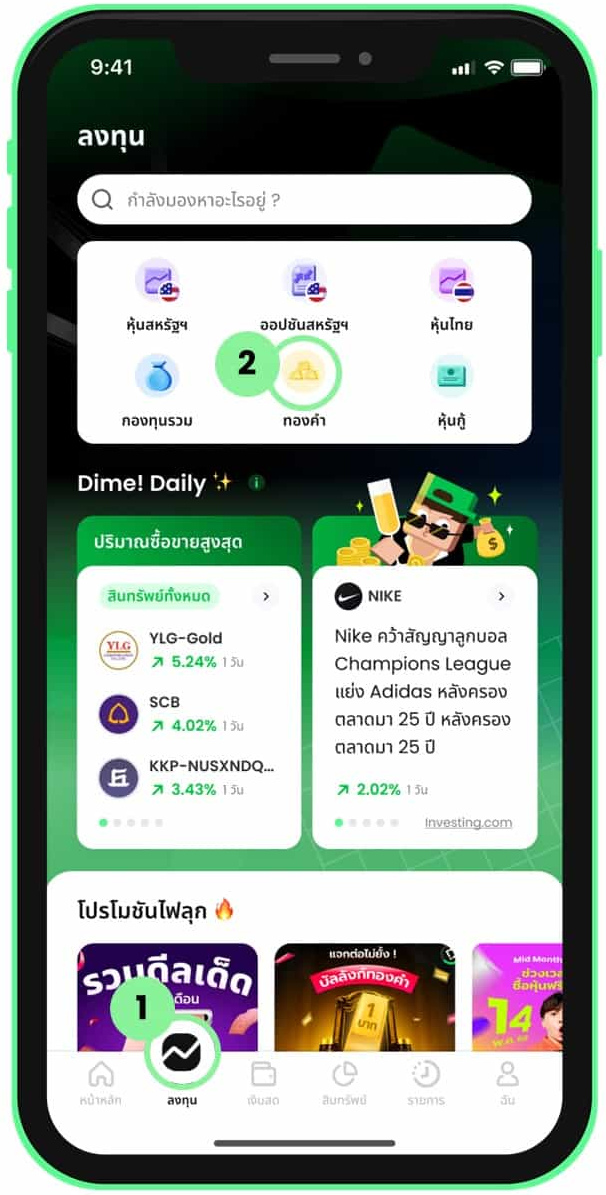 1. Select Gold from the Invest menu
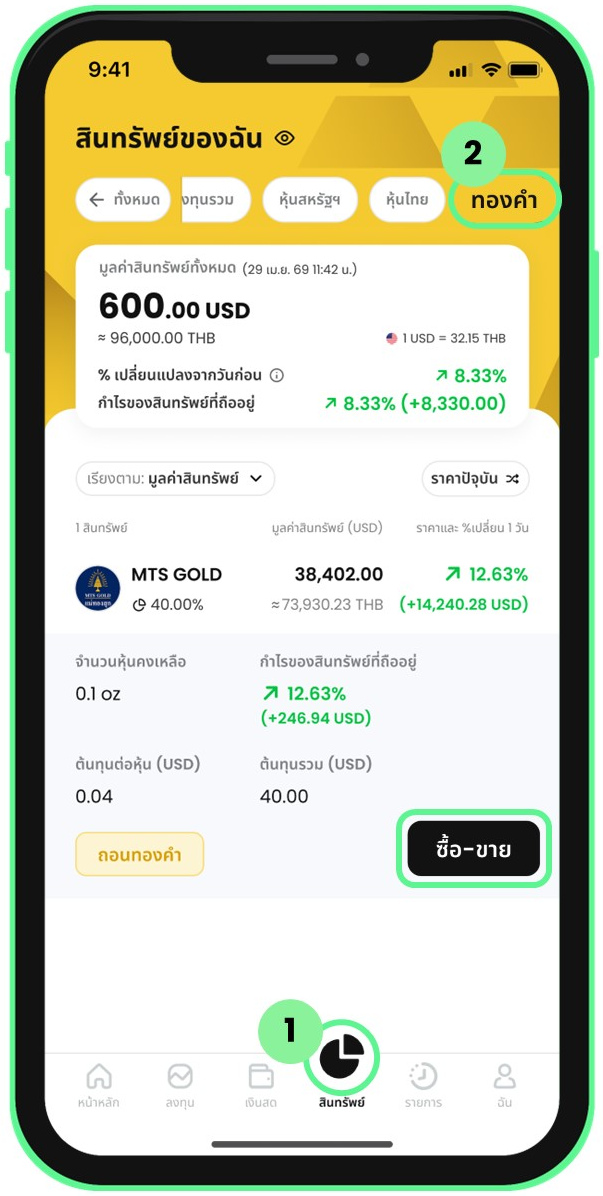 2. Go to trading via the Assets menu
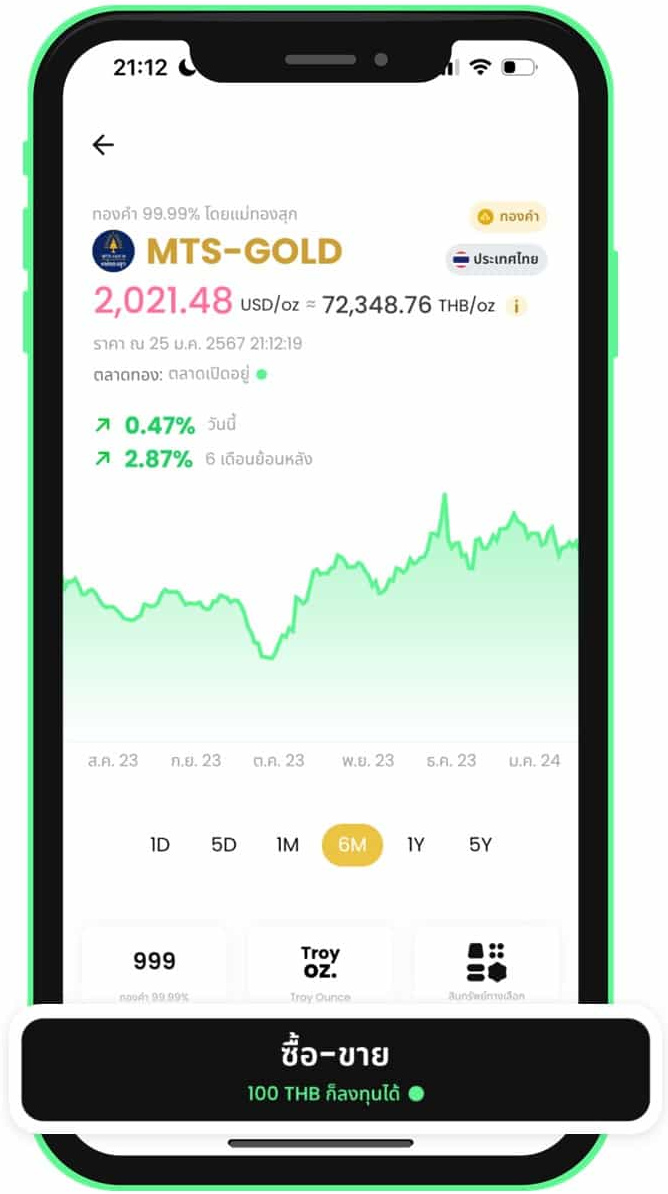 3. Select a gold shop and tap Trade
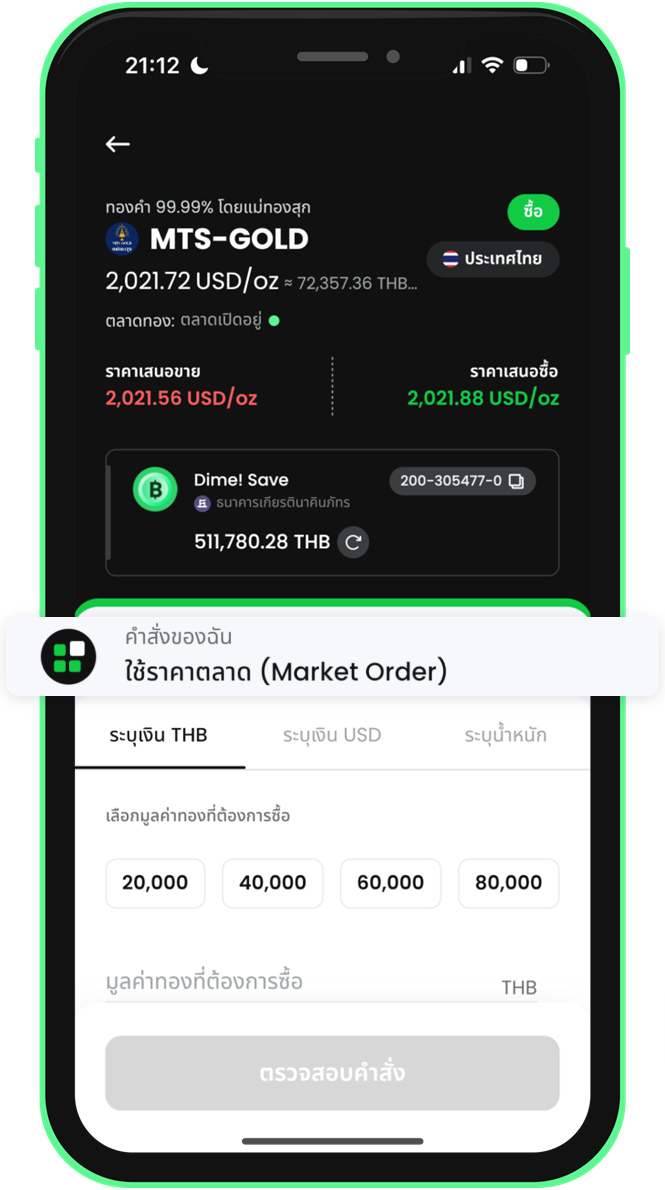 4. Limit buy: open the order type menu
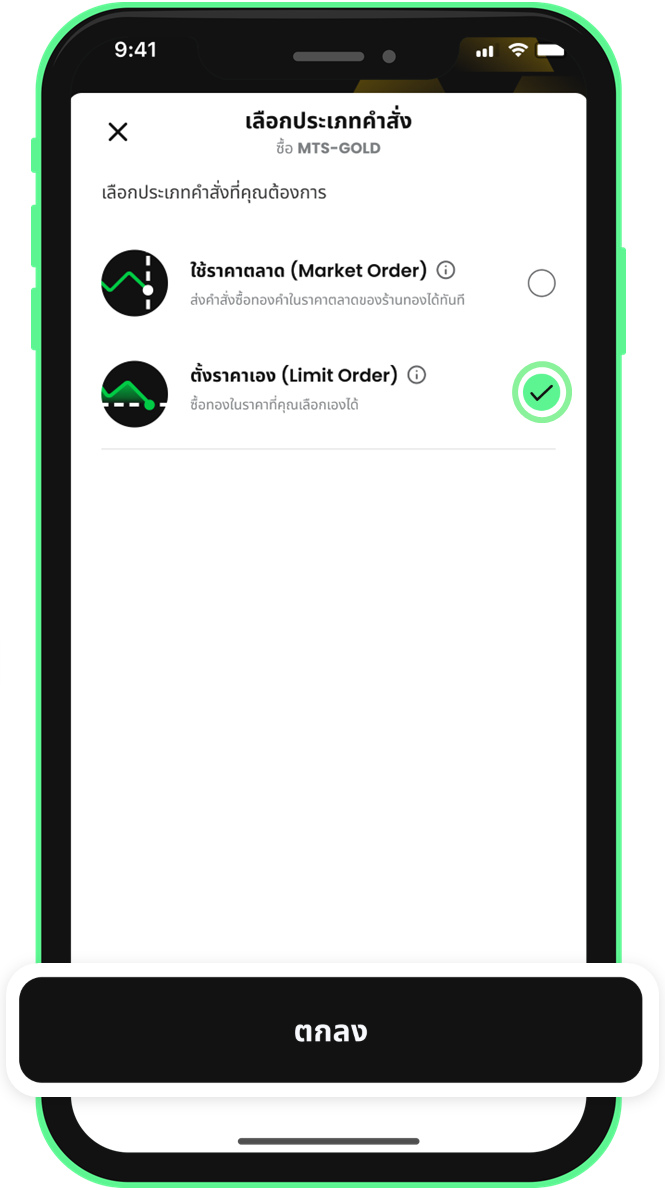 5. Limit buy: select Limit Order
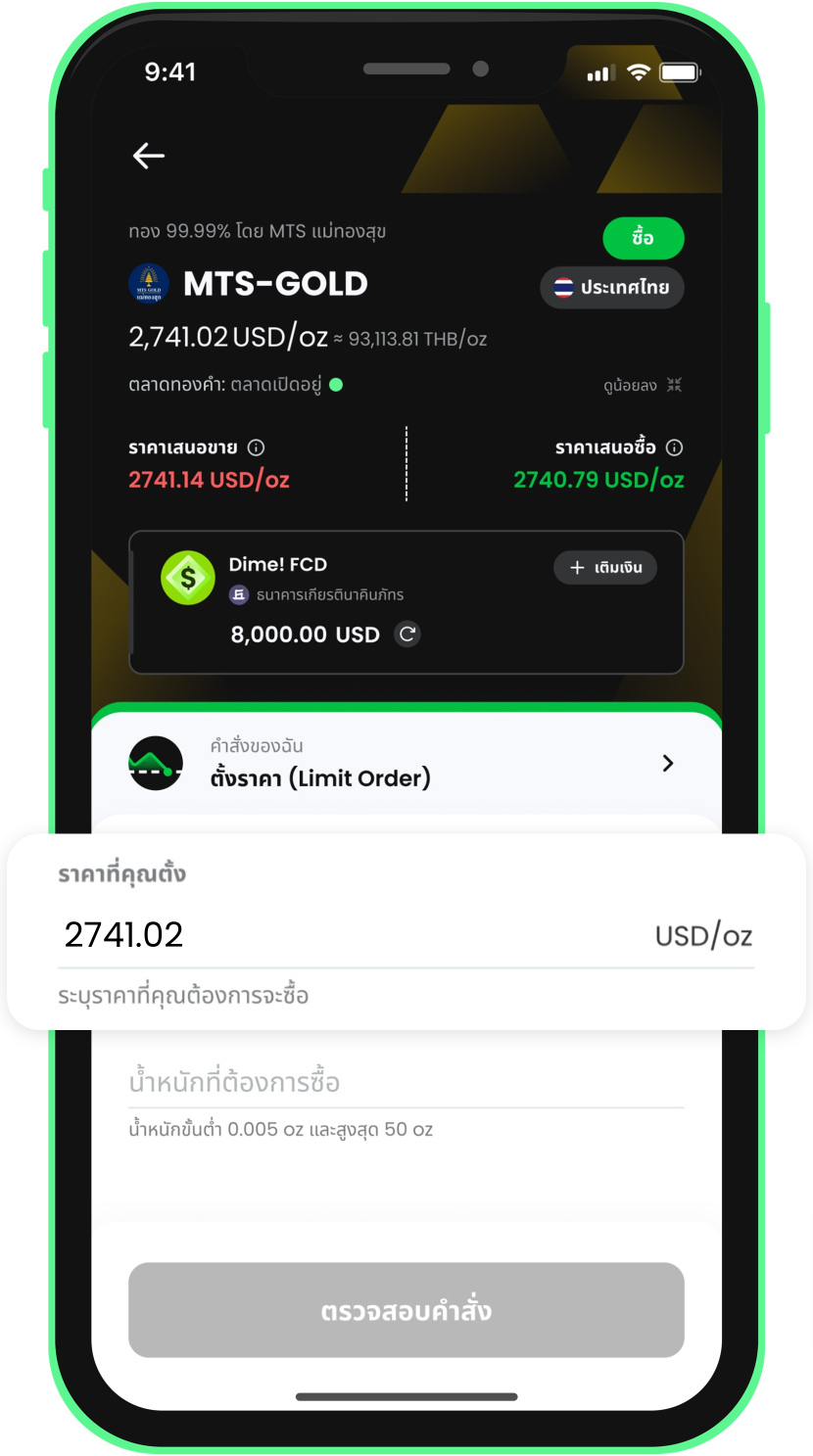 6. Limit buy: enter the gold price
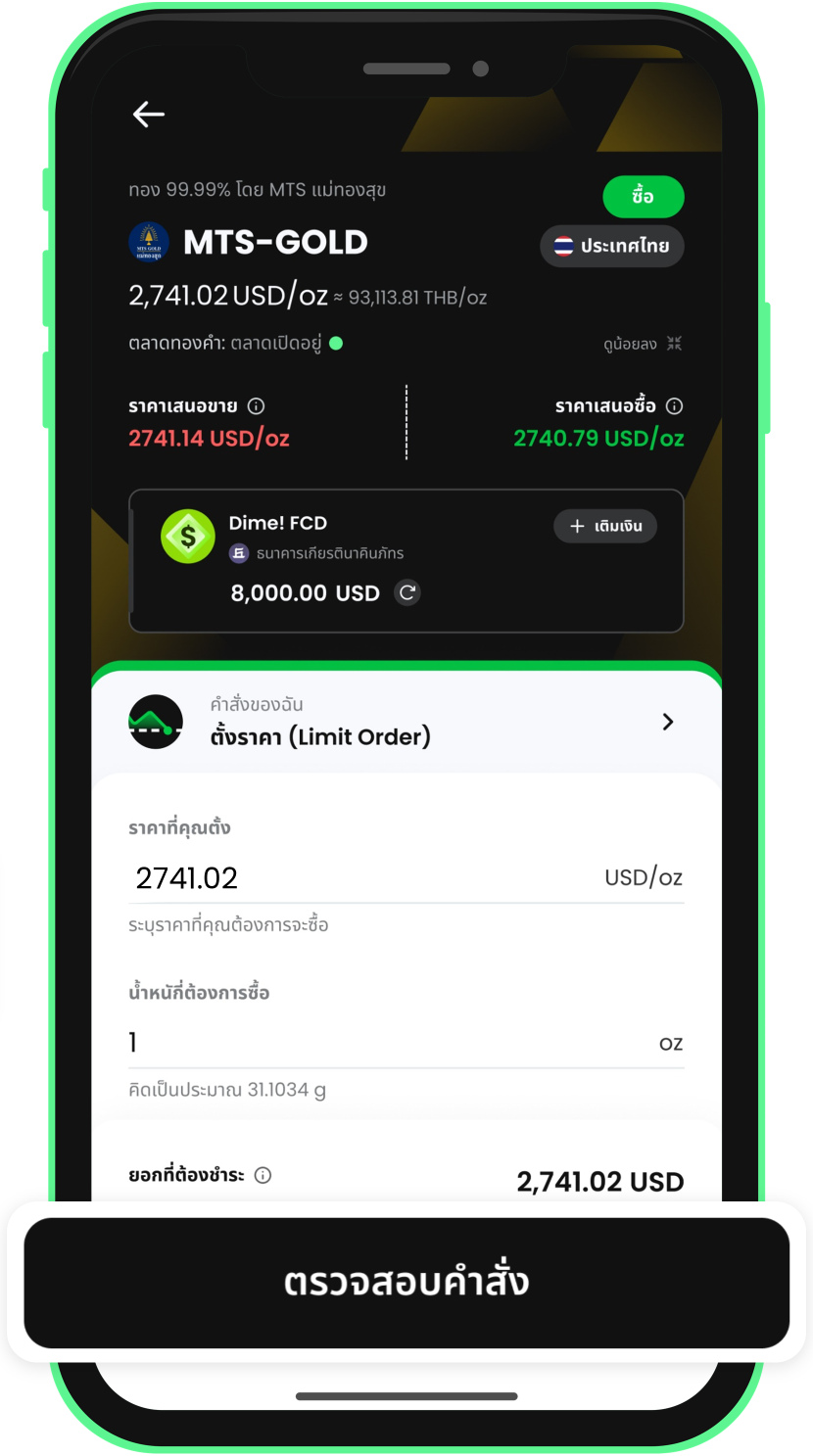 7. Limit buy: enter the weight and review the order
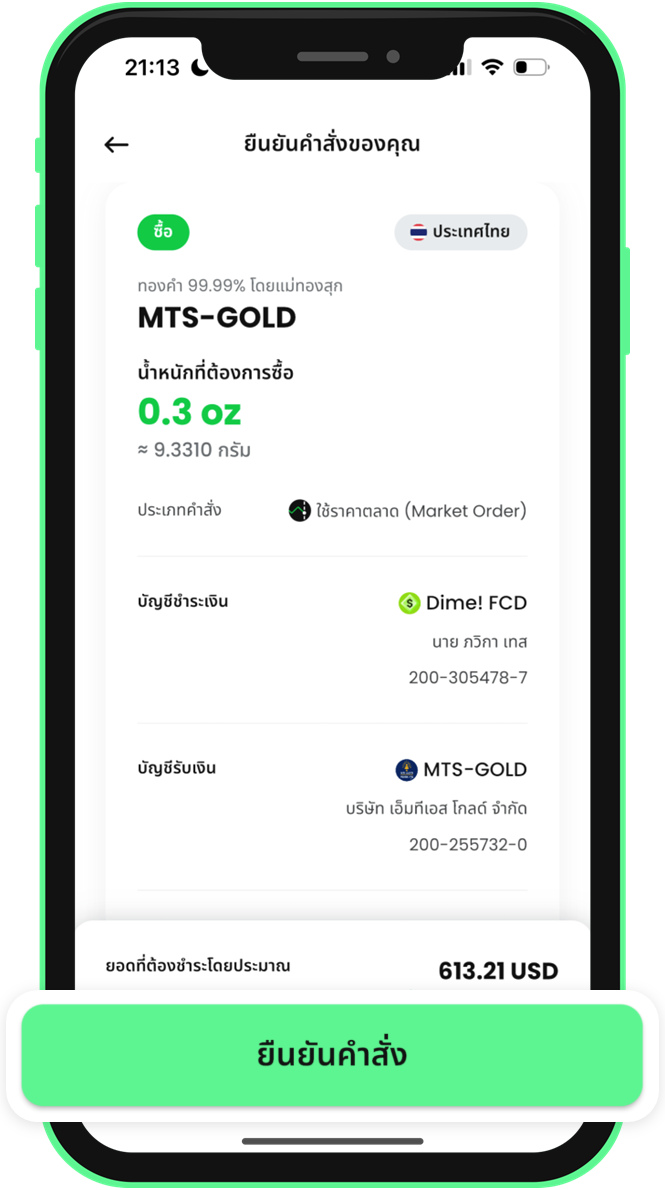 8. Review the details and confirm the buy order
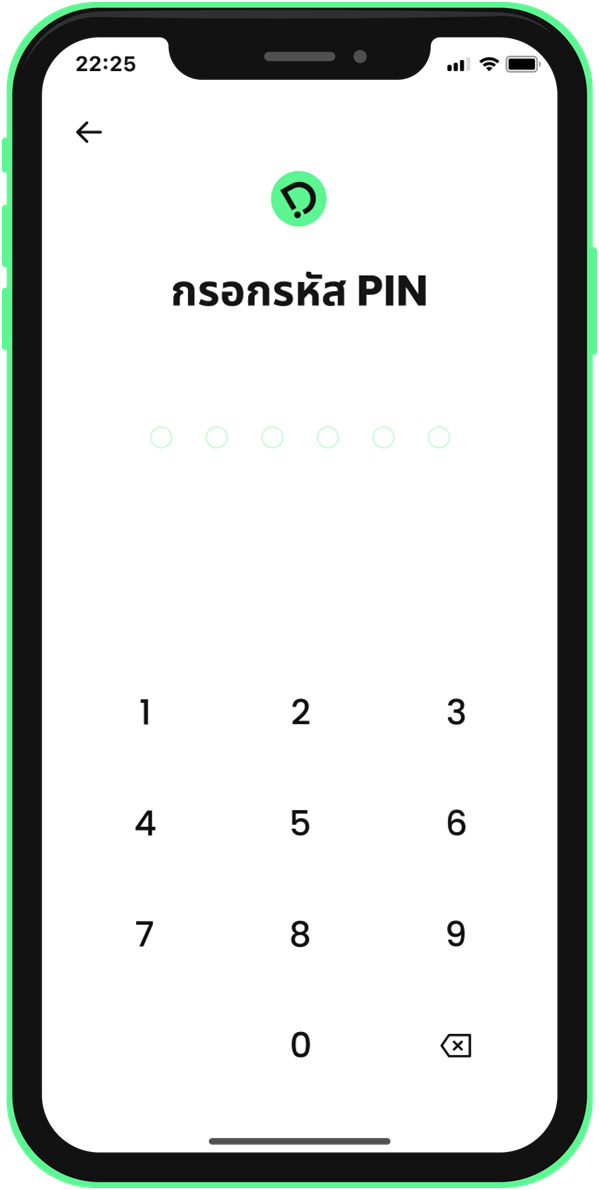 9. Enter your PIN to confirm the buy order
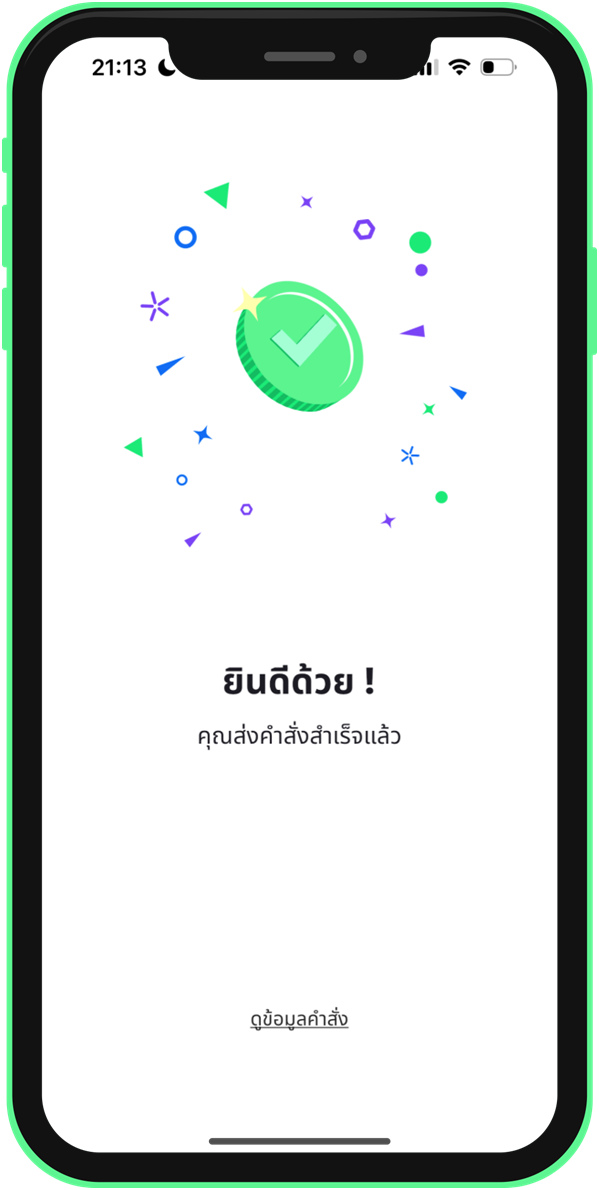 10. Buy order submitted
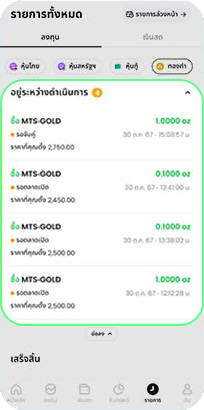
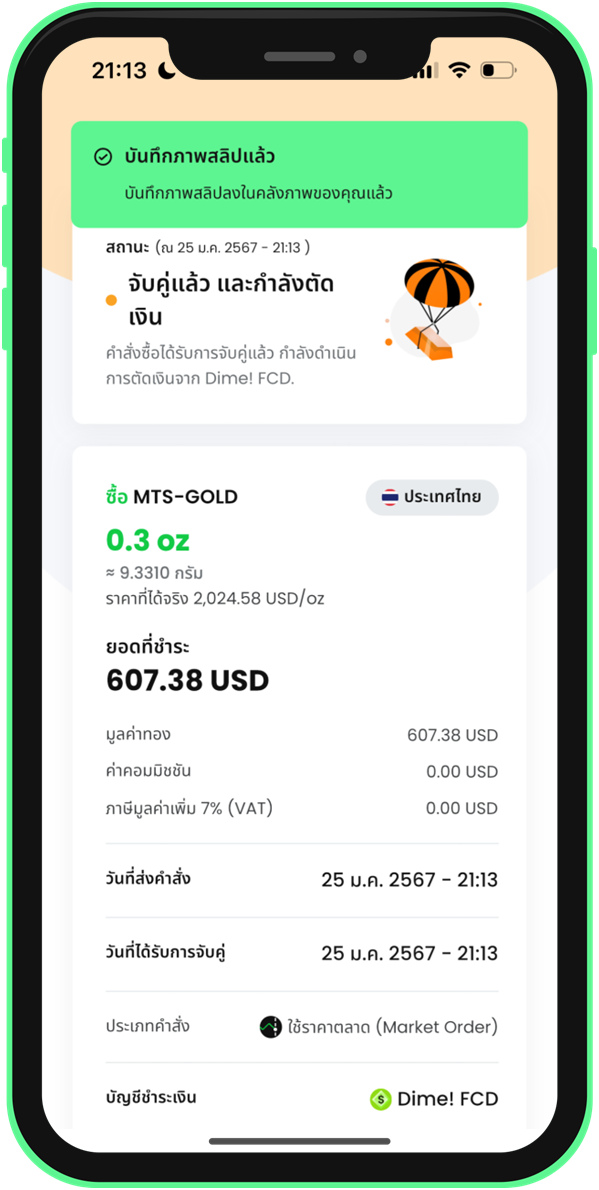 11. Check the buy order details
2.2 Buy Gold at Market Price
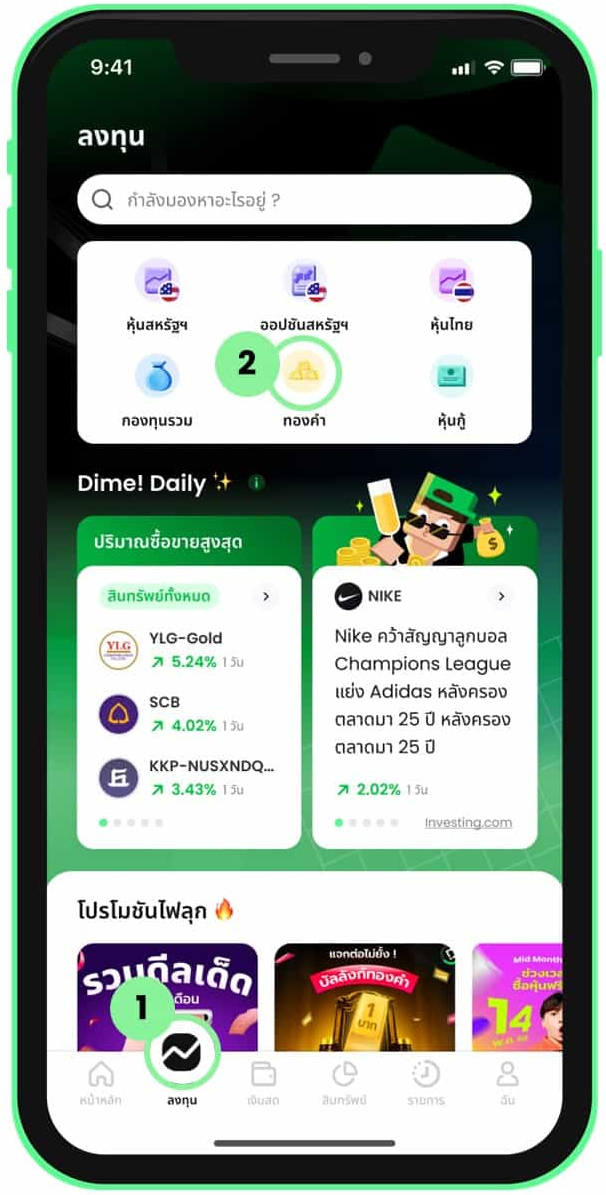 1. Select Gold from the Invest menu
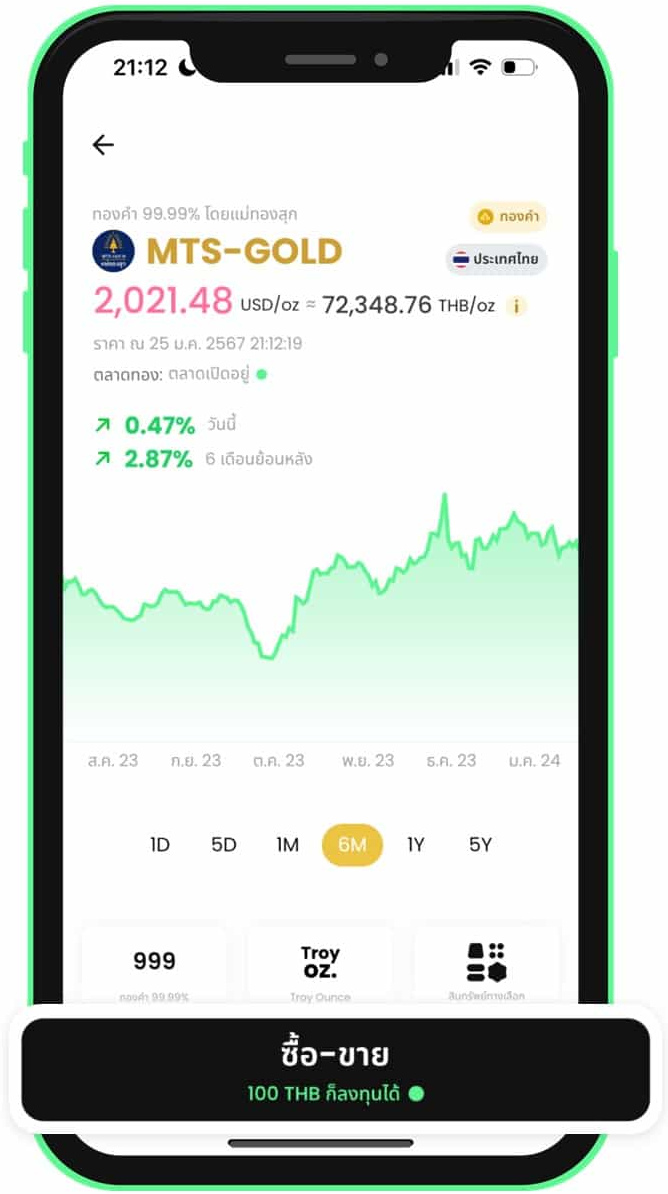 2. Select a gold shop and tap Trade
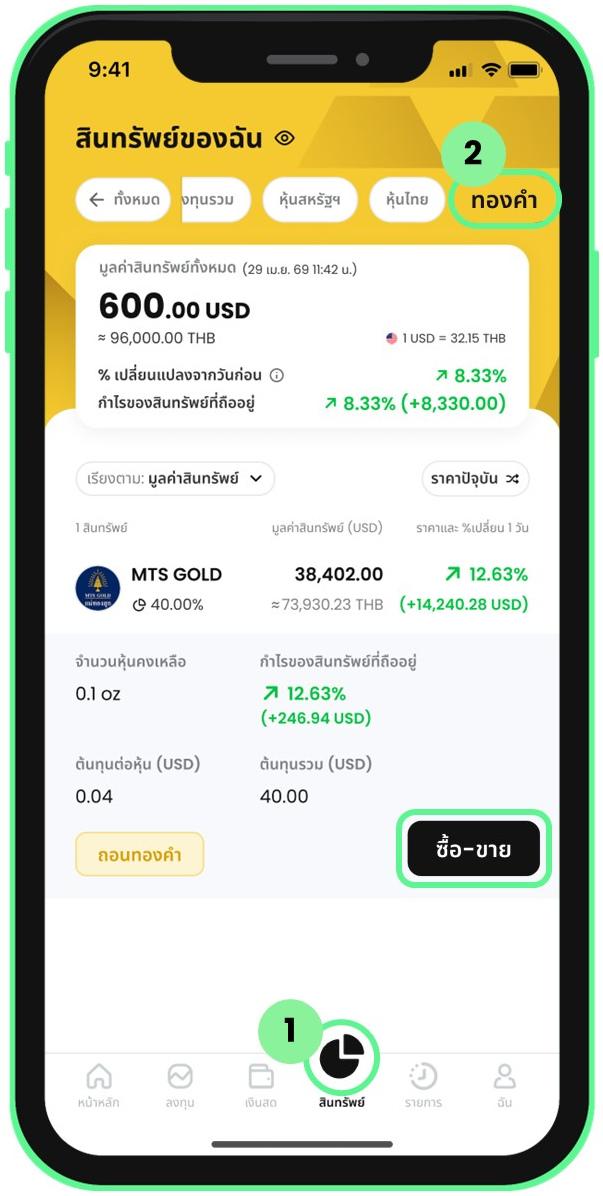 3. Go to trading via the Assets menu
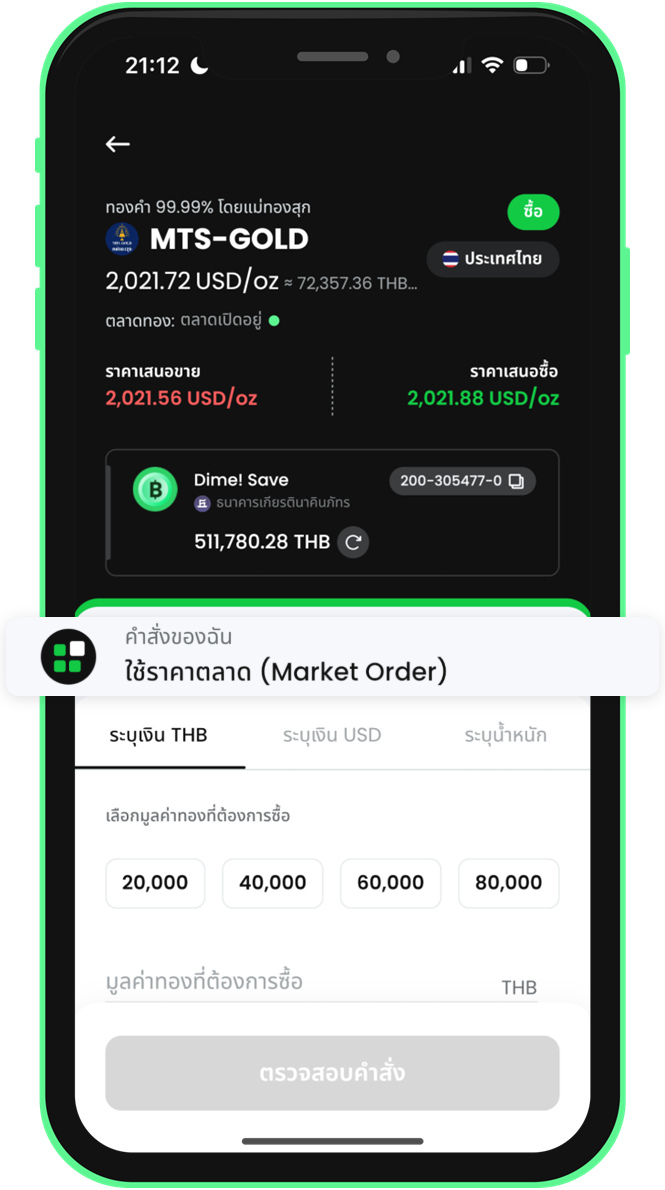 4. Buy with THB: open the order type menu
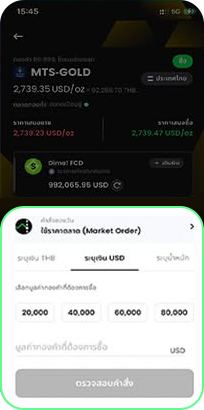
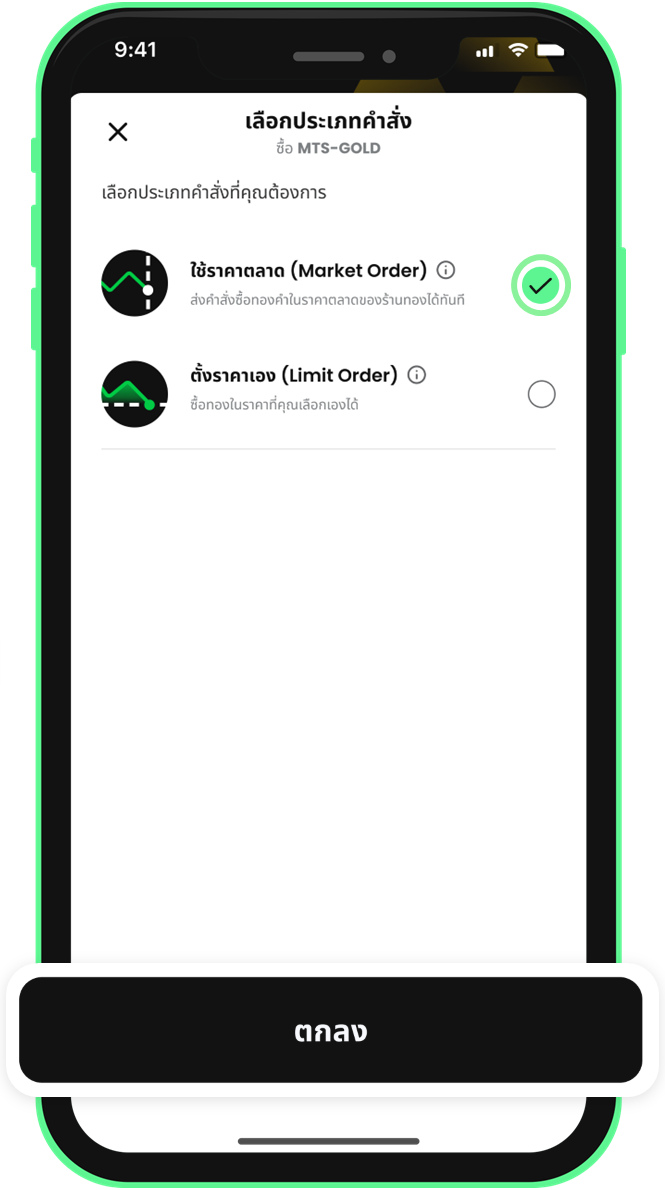 5. Buy with THB: select Market Order
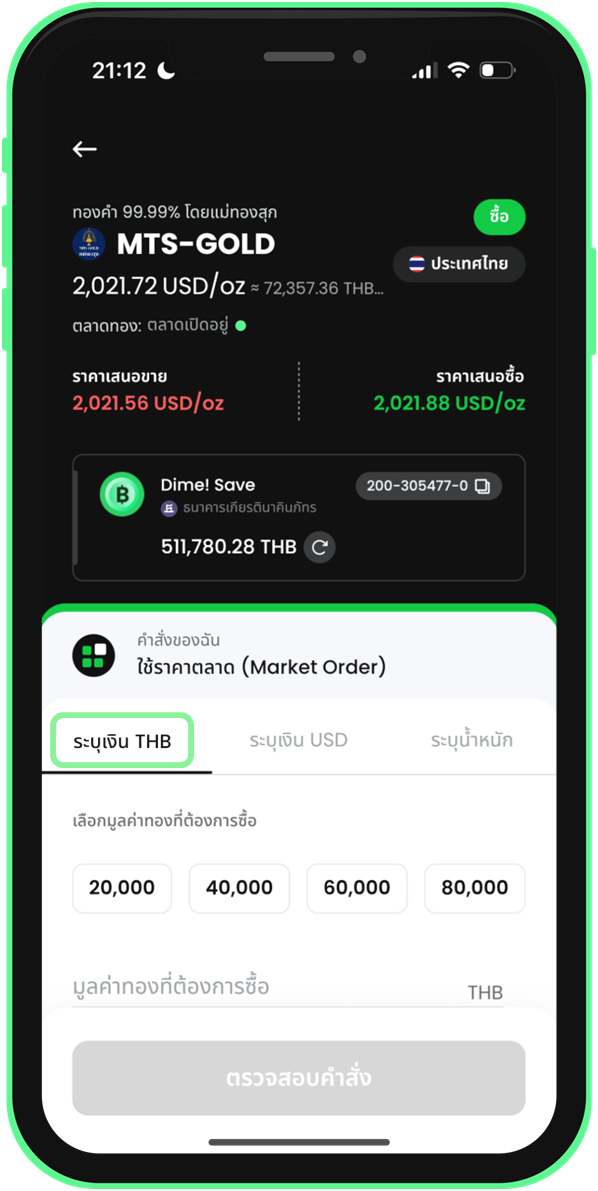 6. Buy with THB: select the THB amount tab
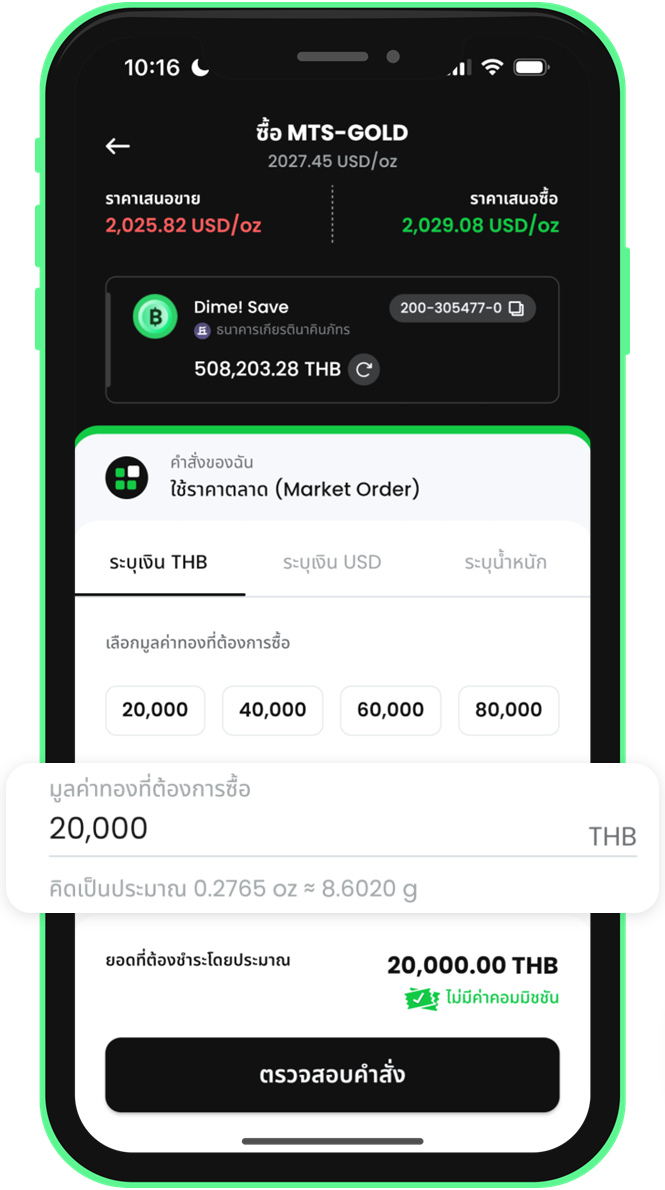 7. Buy with THB: enter the amount
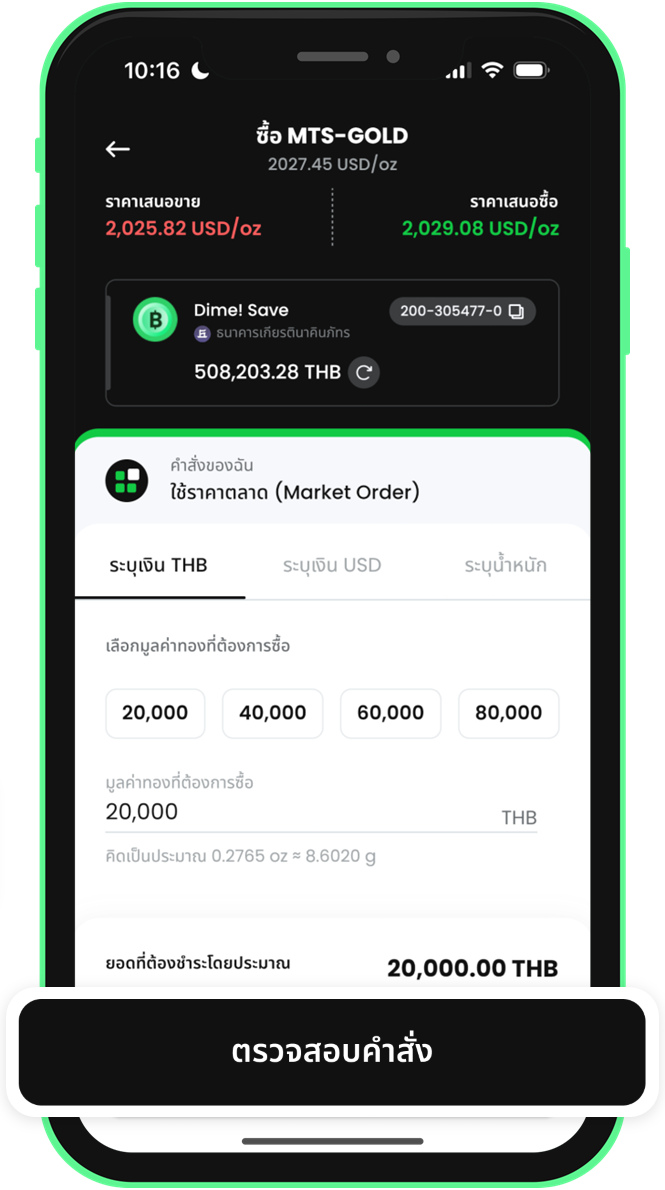 8. Buy with THB: tap Review Order
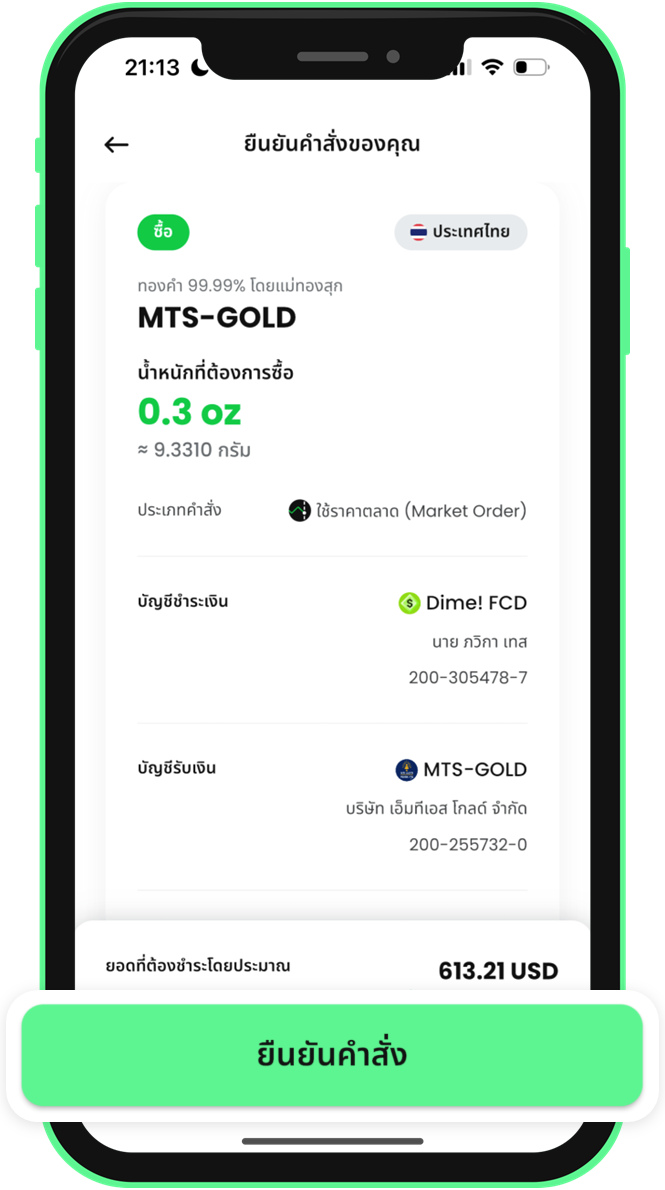 9. Review the details and confirm the buy order
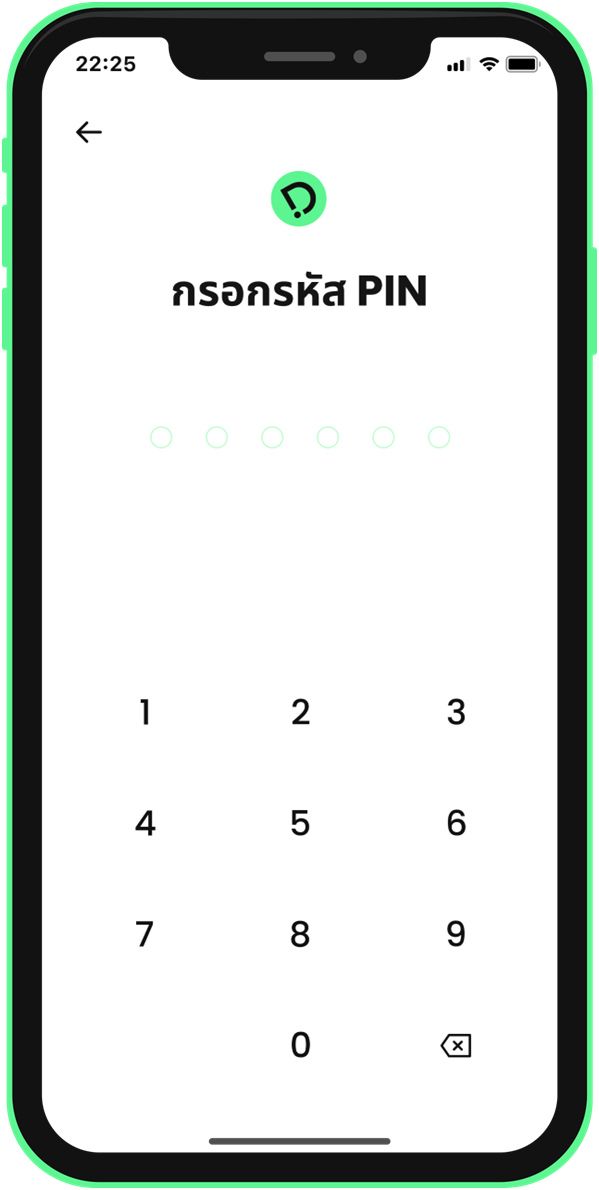 10. Enter your PIN to confirm the buy order
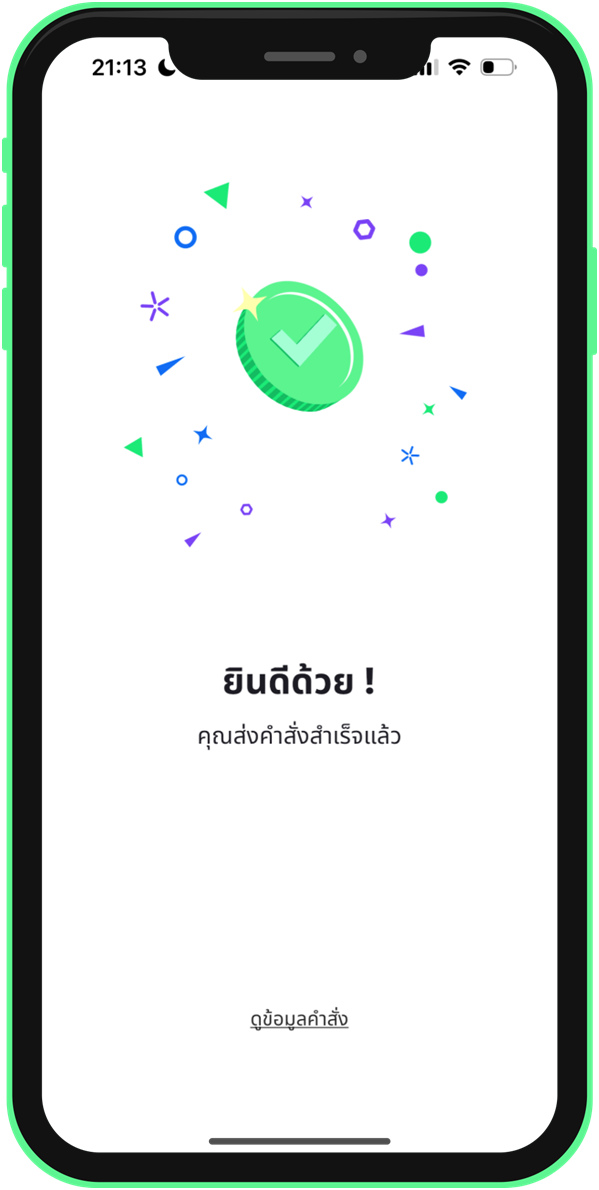 11. Buy order submitted
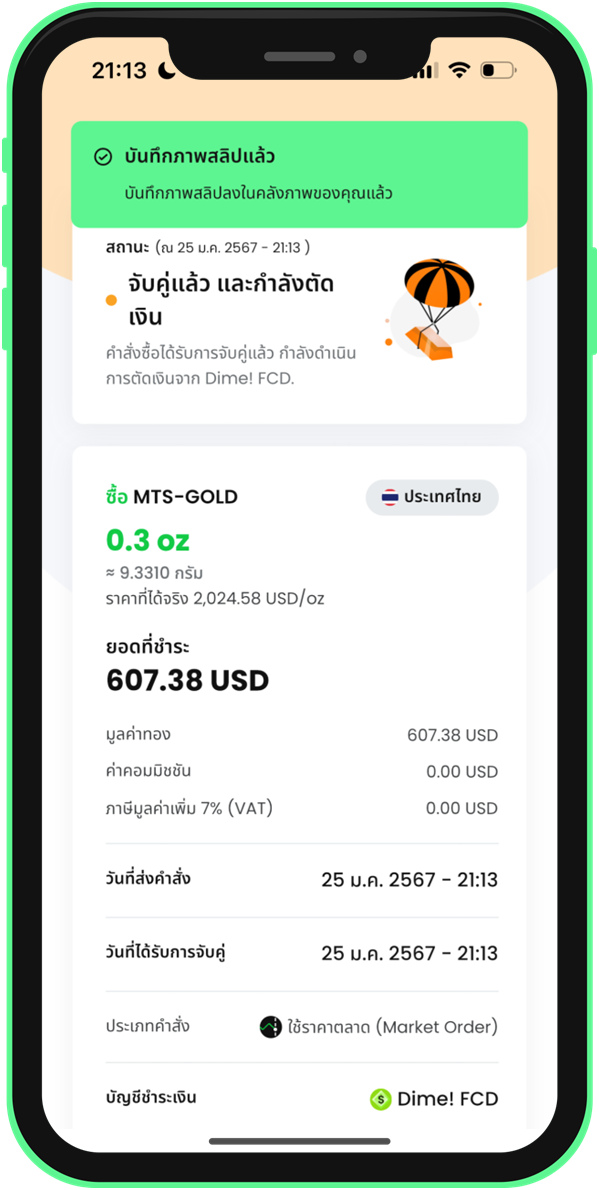 12. Check the buy order details
3. Sell Gold
3.1 Sell Gold with a Limit Order
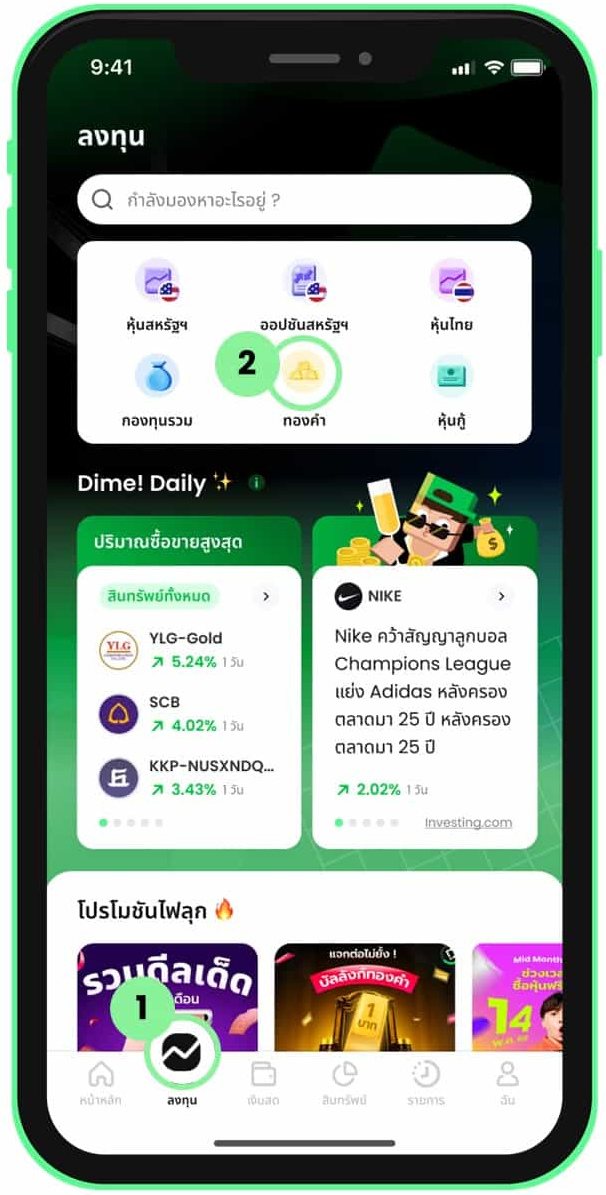 1. Select Gold from the Invest menu
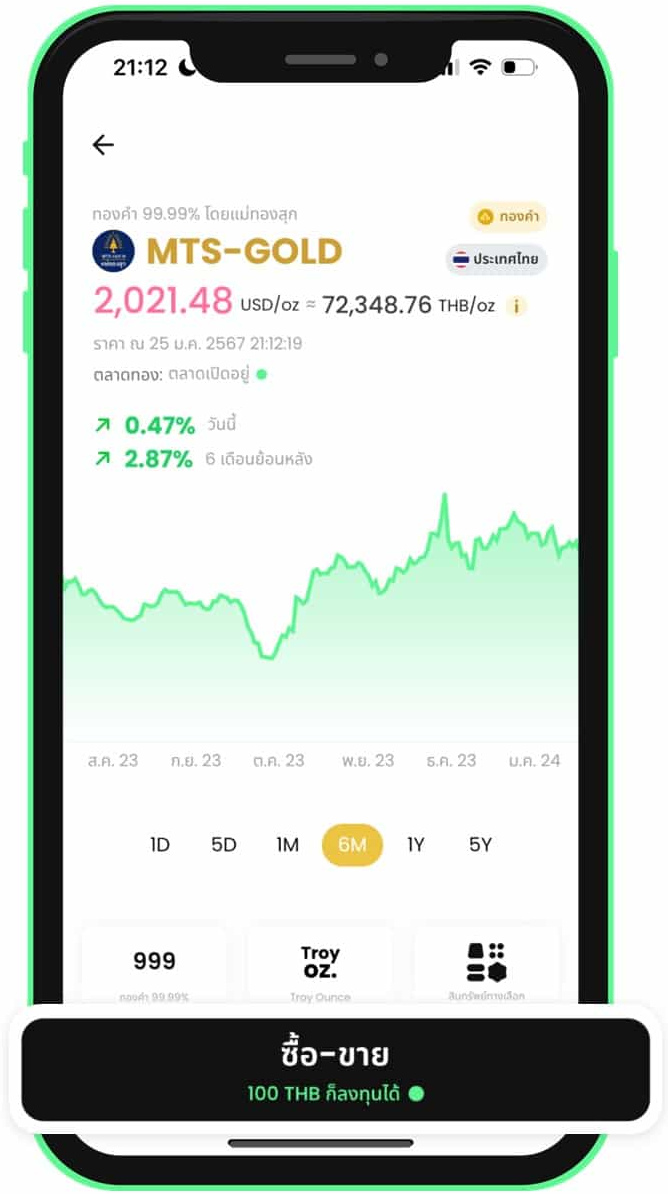 2. Select a gold shop and tap Trade
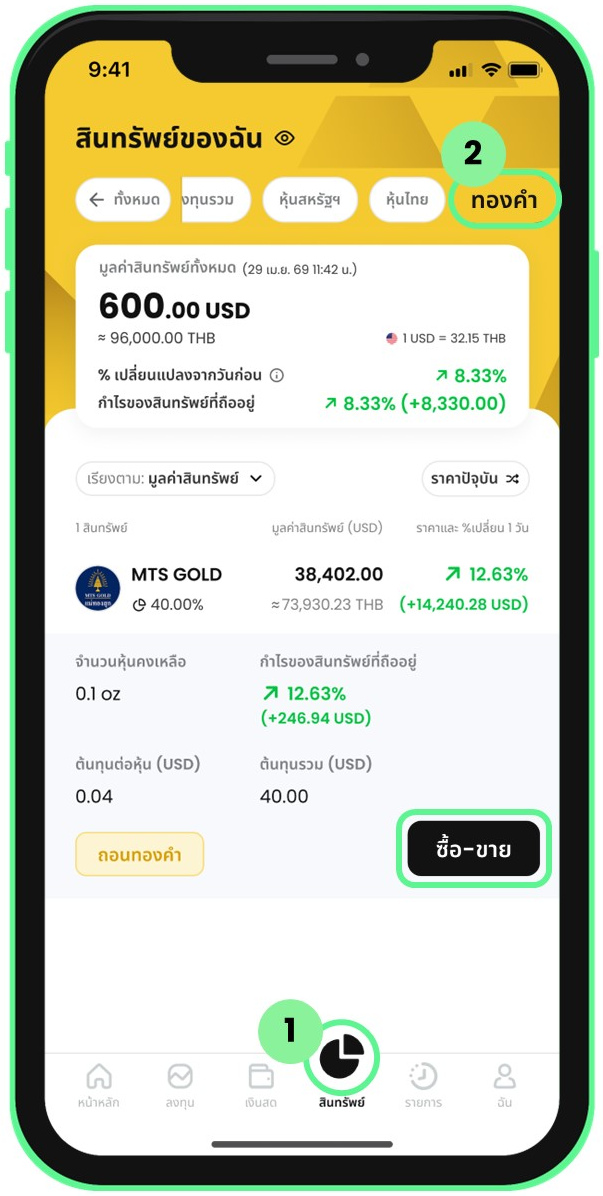 3. Go to trading via the Assets menu
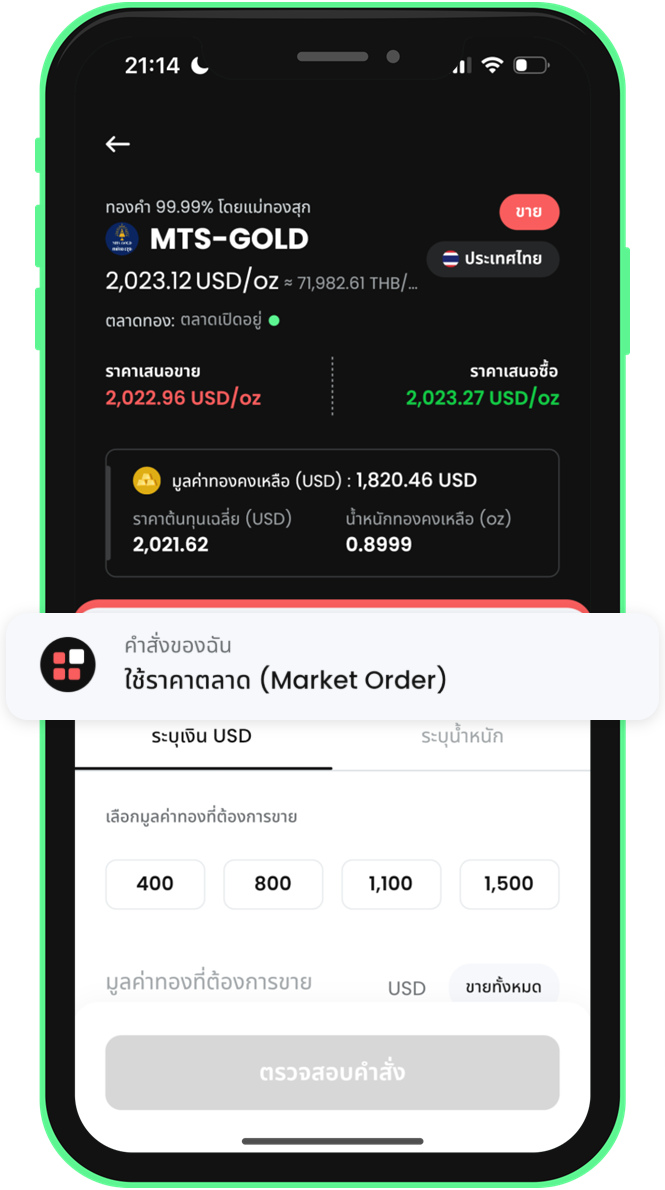 4. Limit sell: open the order type menu
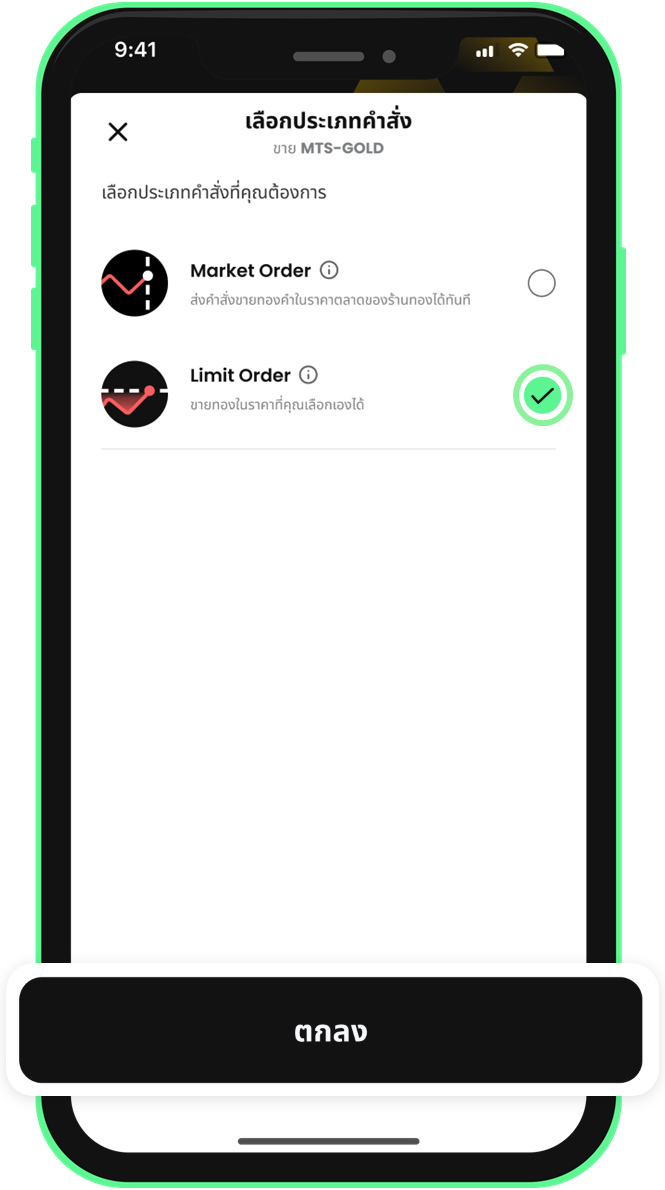 5. Limit sell: select Limit Order
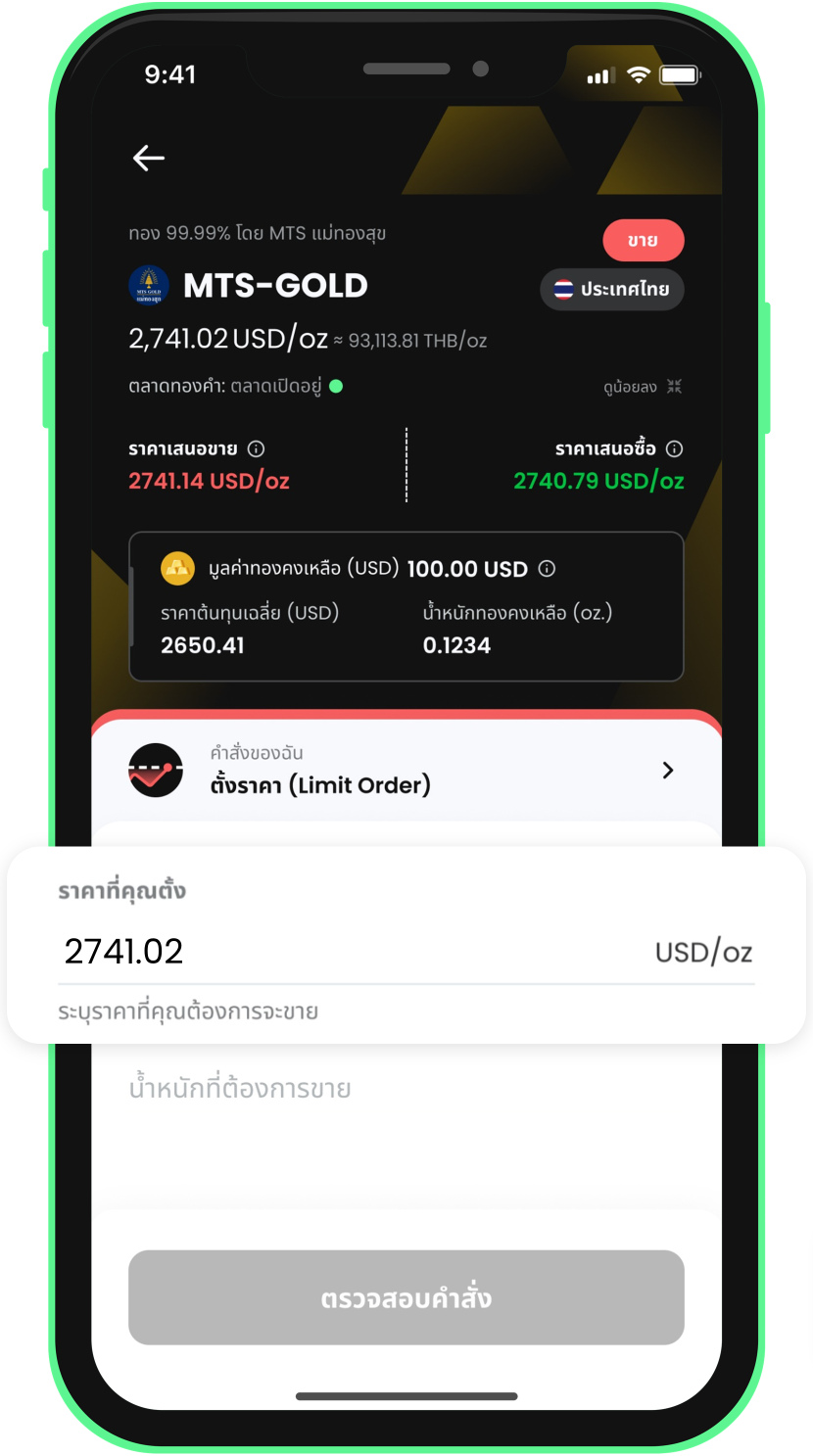 6. Limit sell: enter the gold price
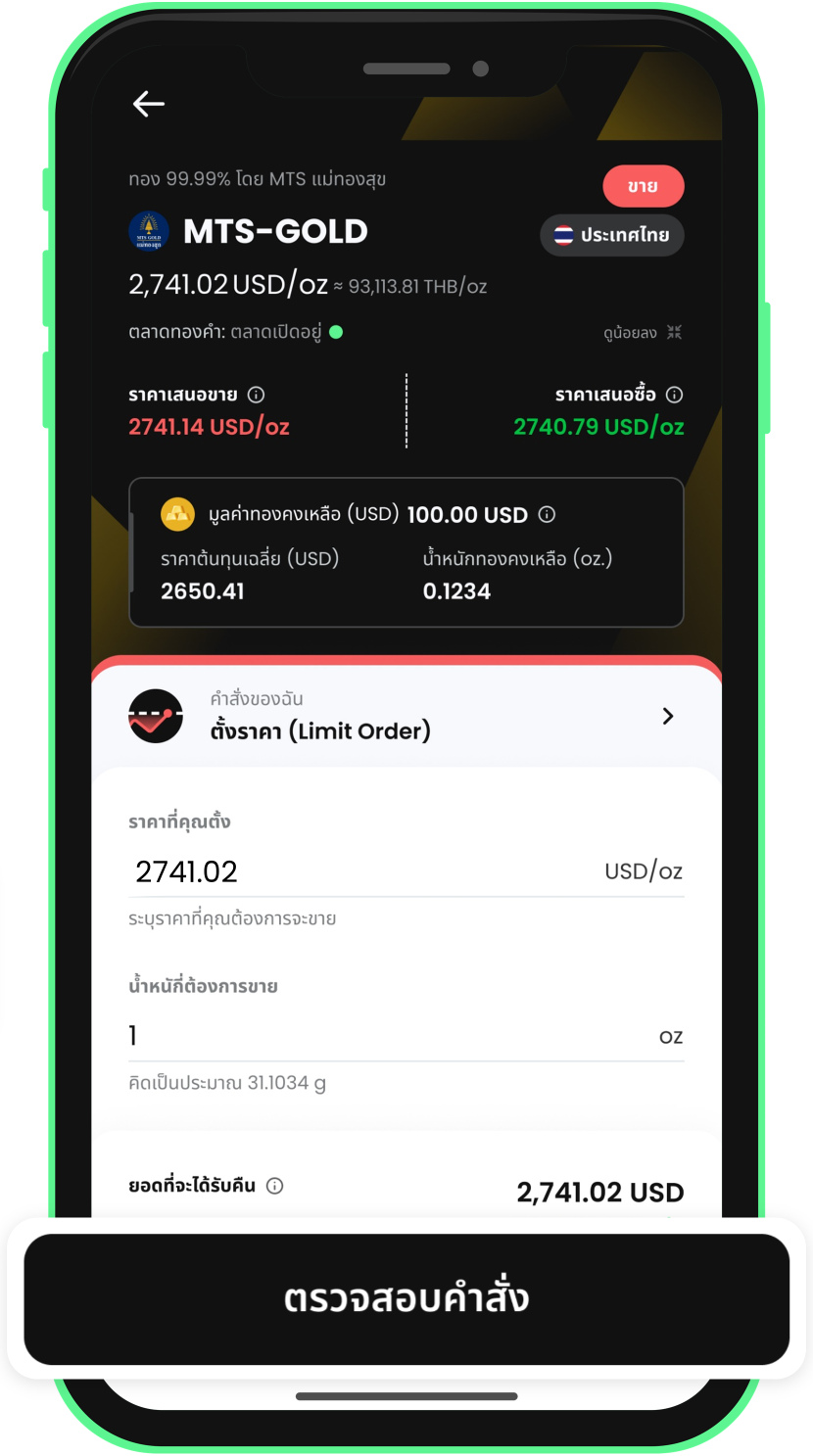 7. Limit sell: enter the weight and review the order
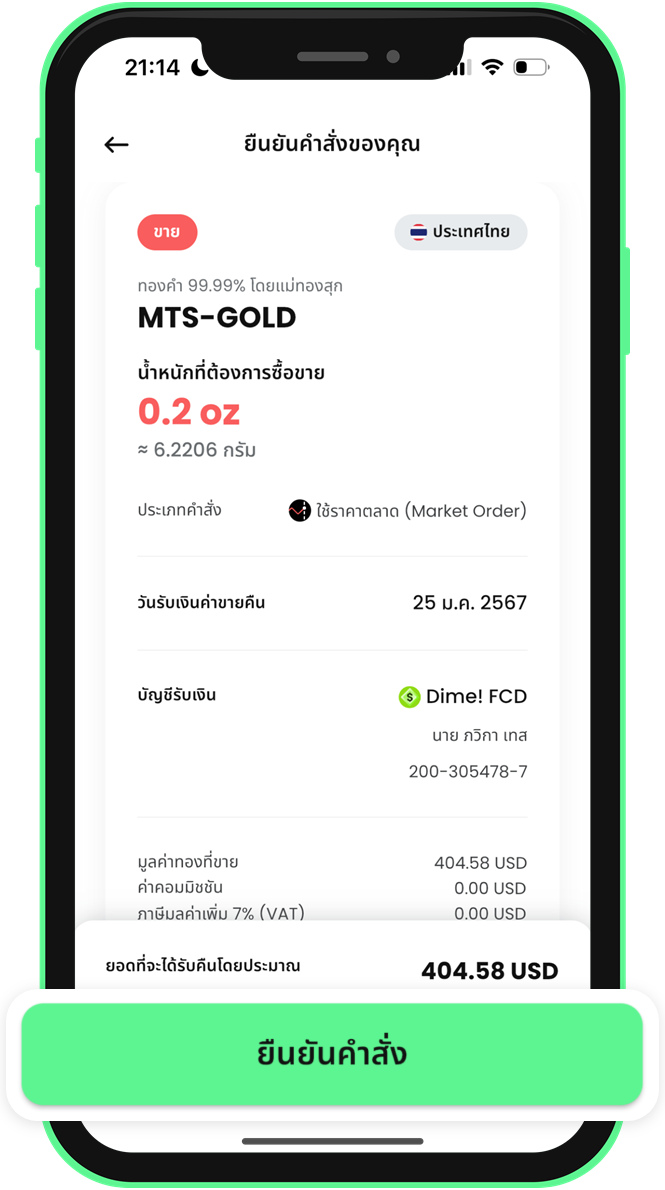 8. Review the details and confirm the sell order
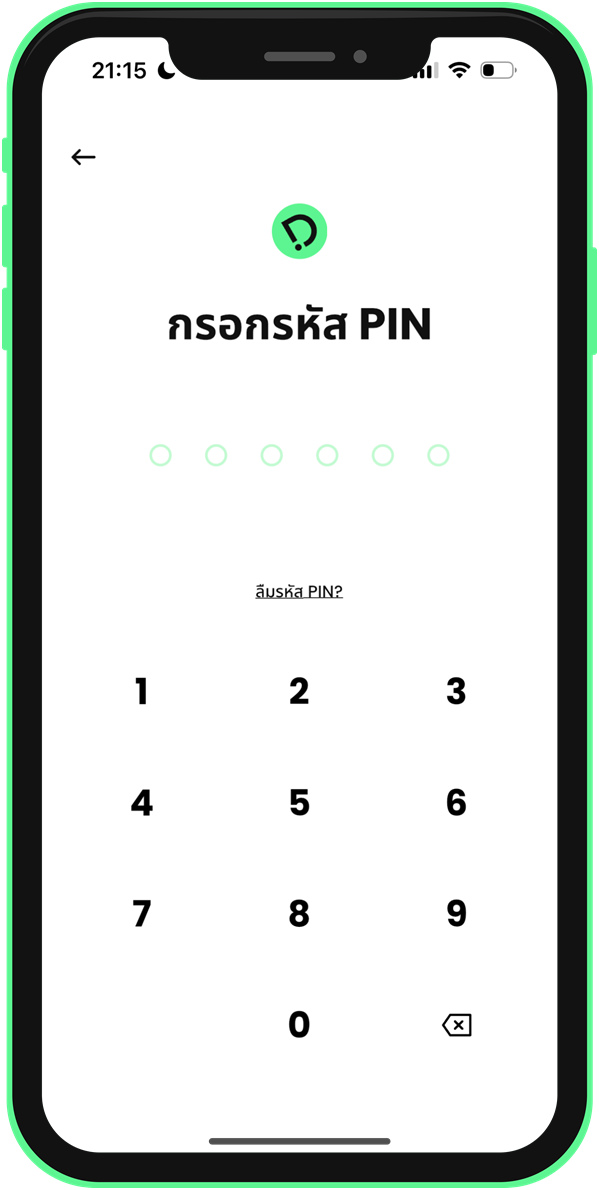 9. Enter your PIN to confirm the sell order
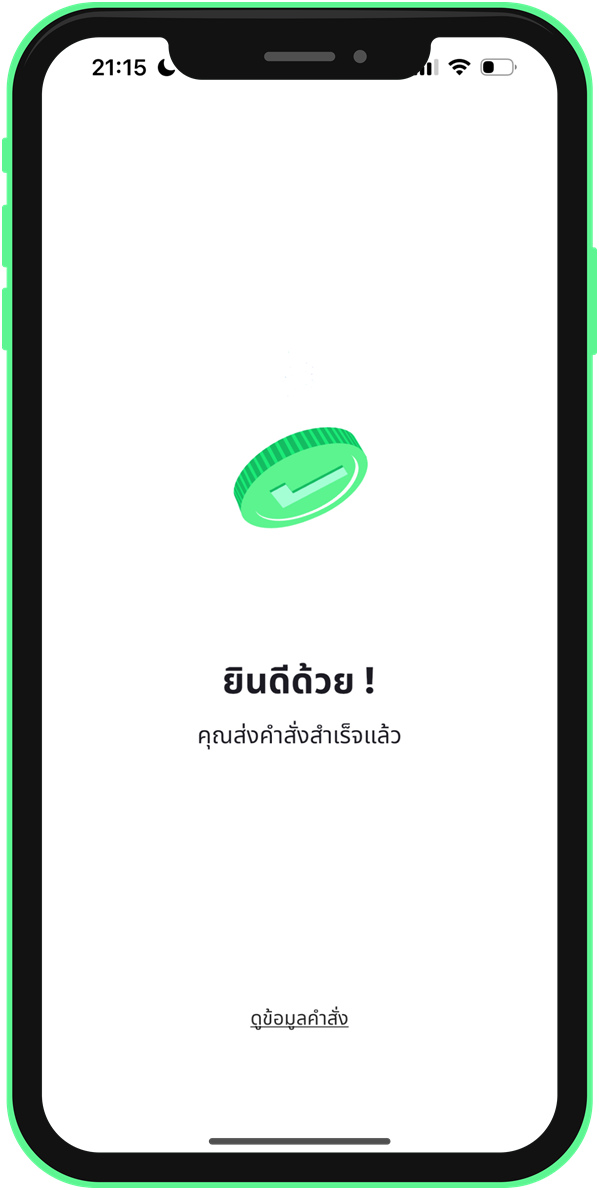 10. Sell order submitted
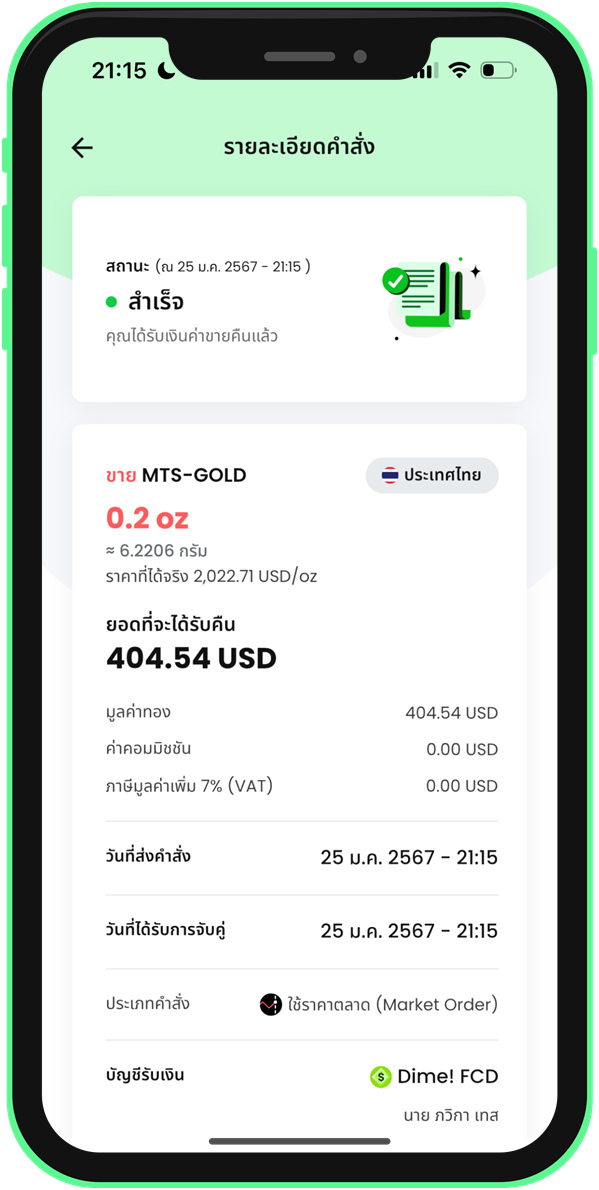 11. Check the sell order details
3.2 Sell Gold at Market Price
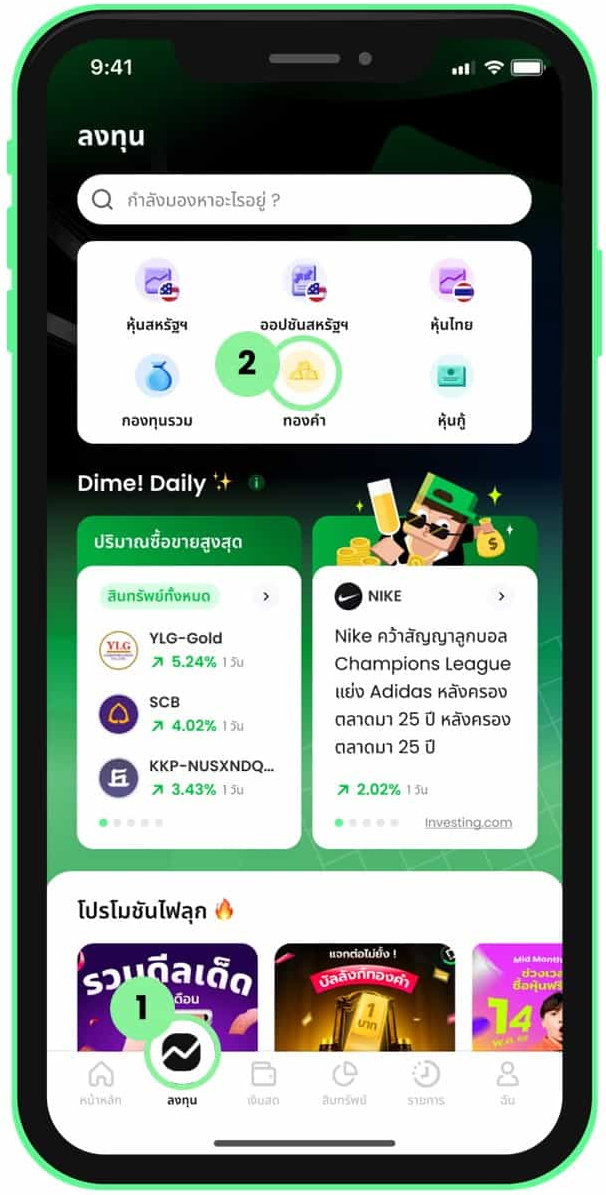 1. Select Gold from the Invest menu
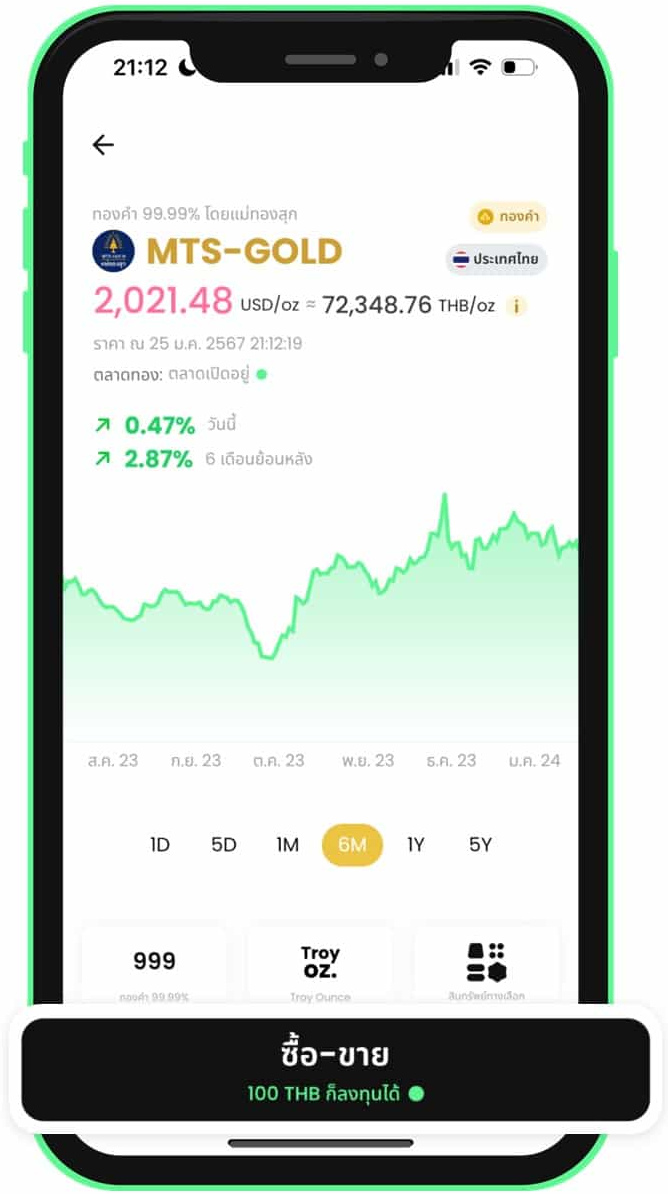 2. Select a gold shop and tap Trade
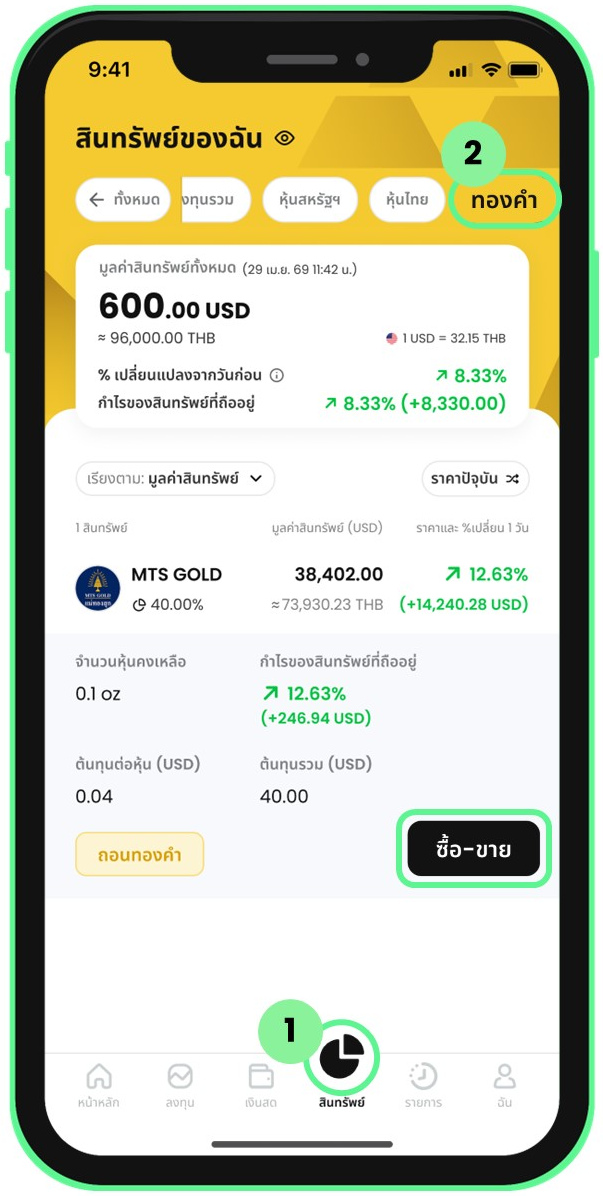 3. Go to trading via the Assets menu
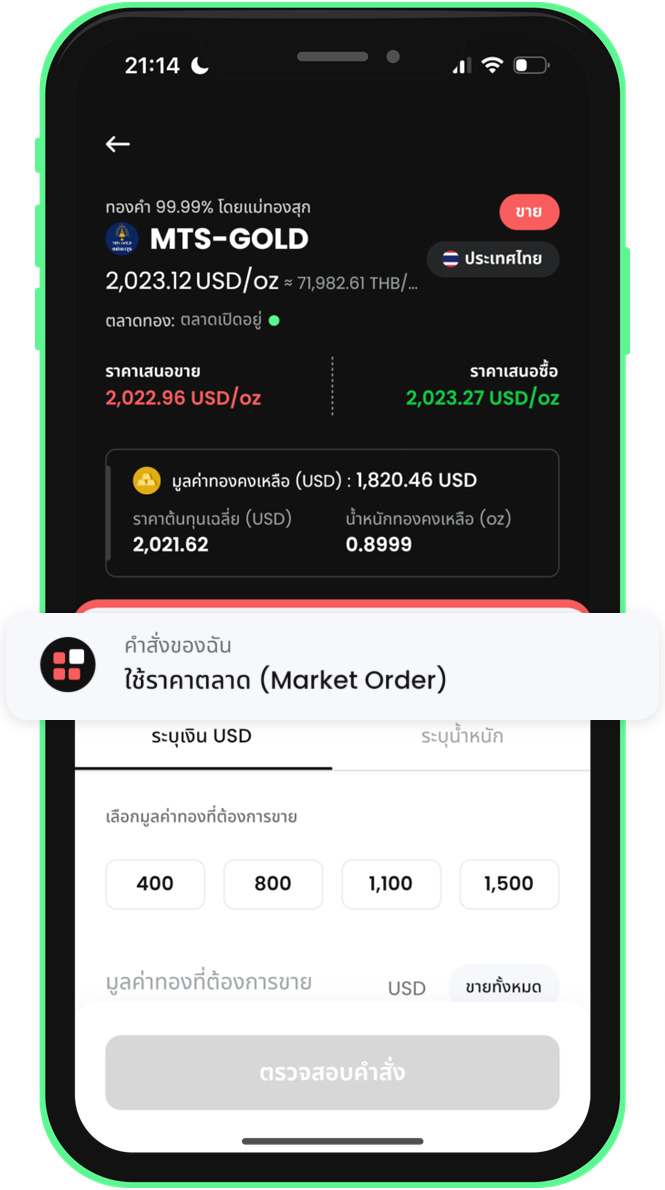 4. Sell by USD amount: open the order type menu
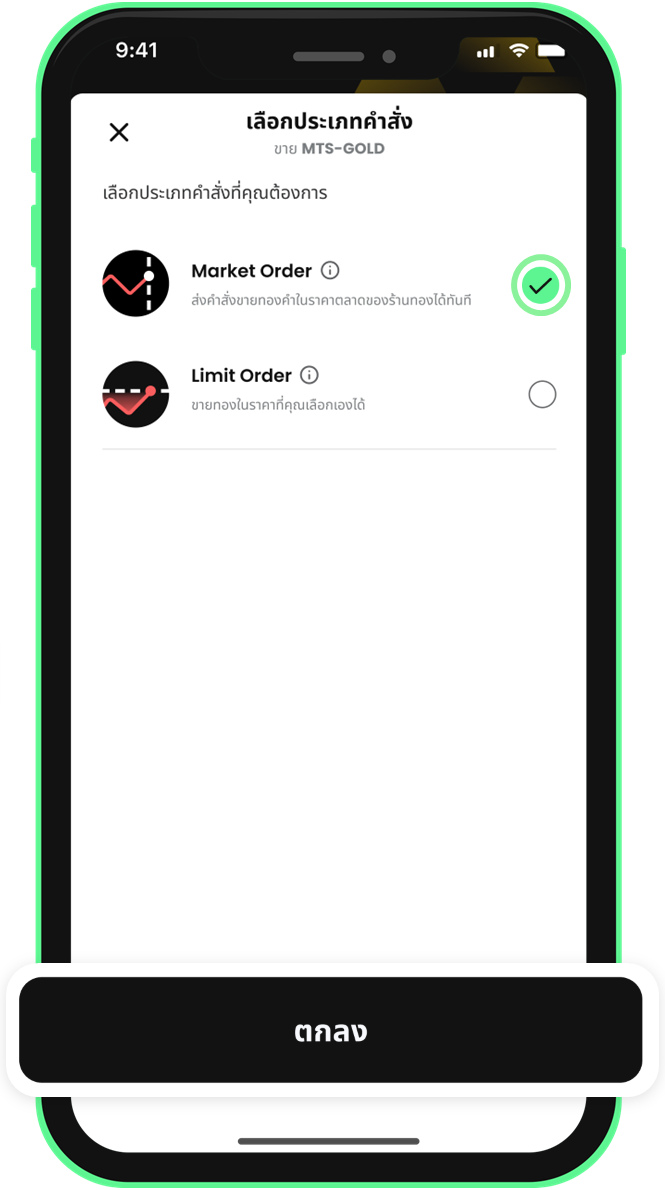 5. Sell by USD amount: select Market Order
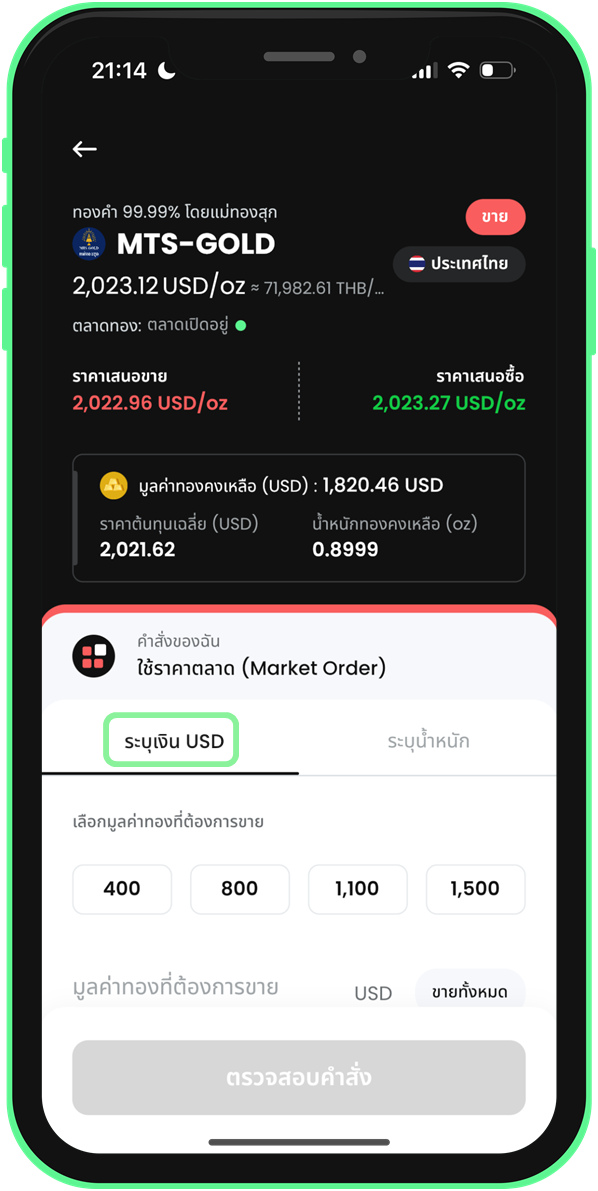 6. Sell by USD amount: select the USD amount tab
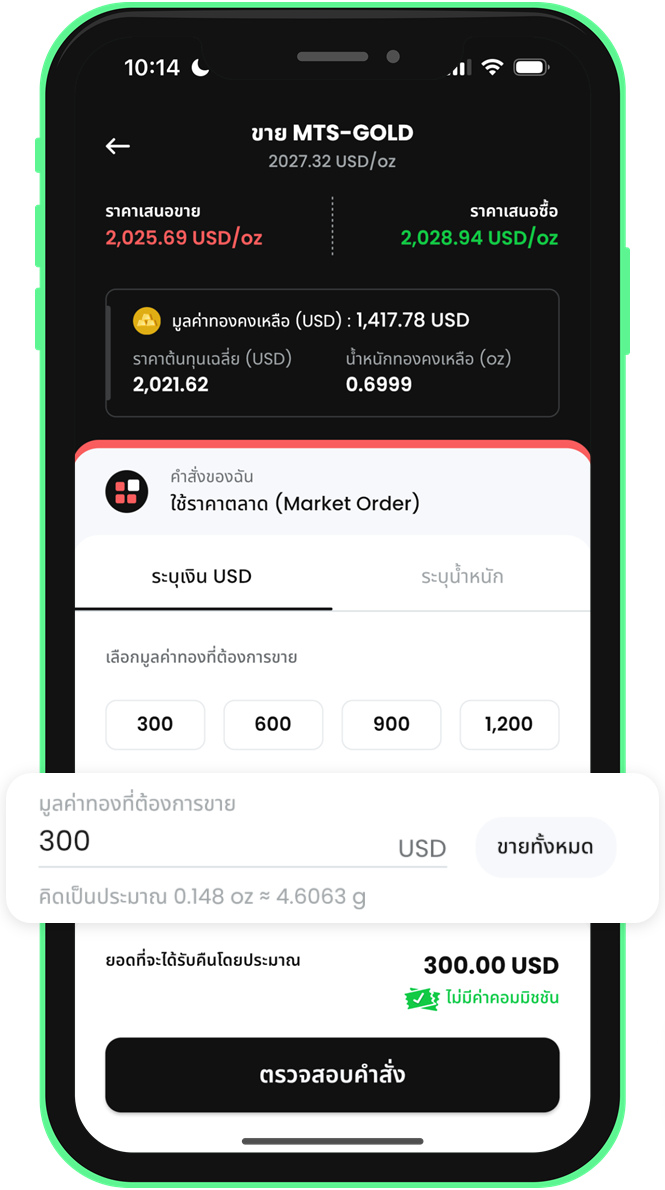 7. Sell by USD amount: enter the amount
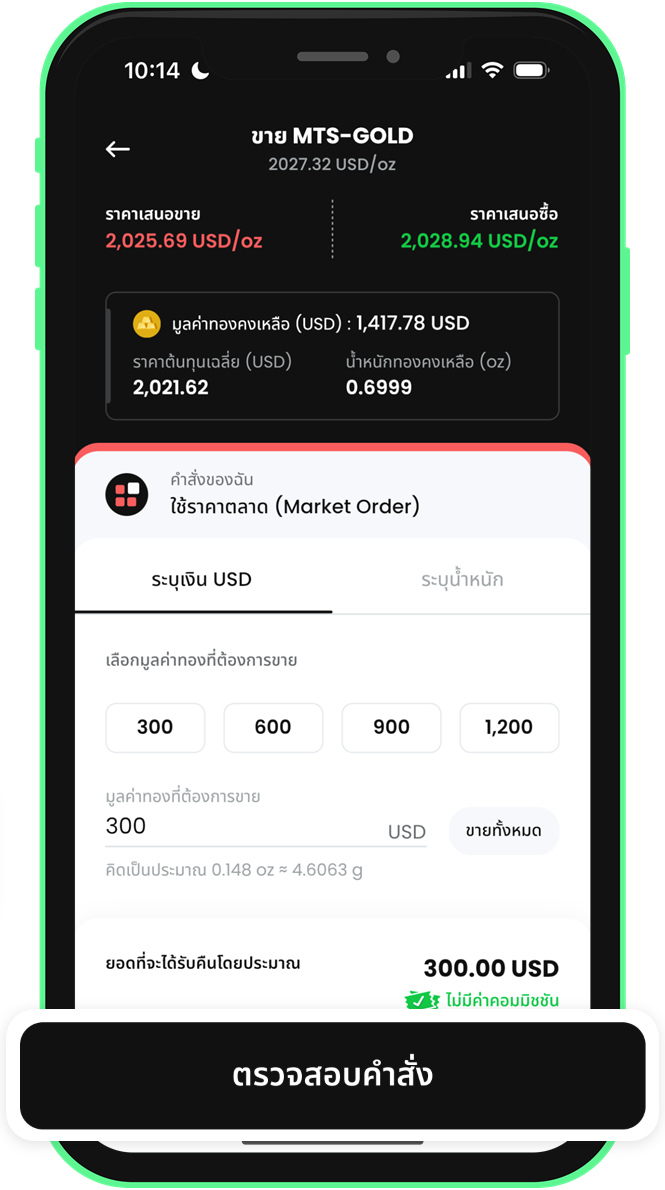 8. Sell by USD amount: tap Review Order
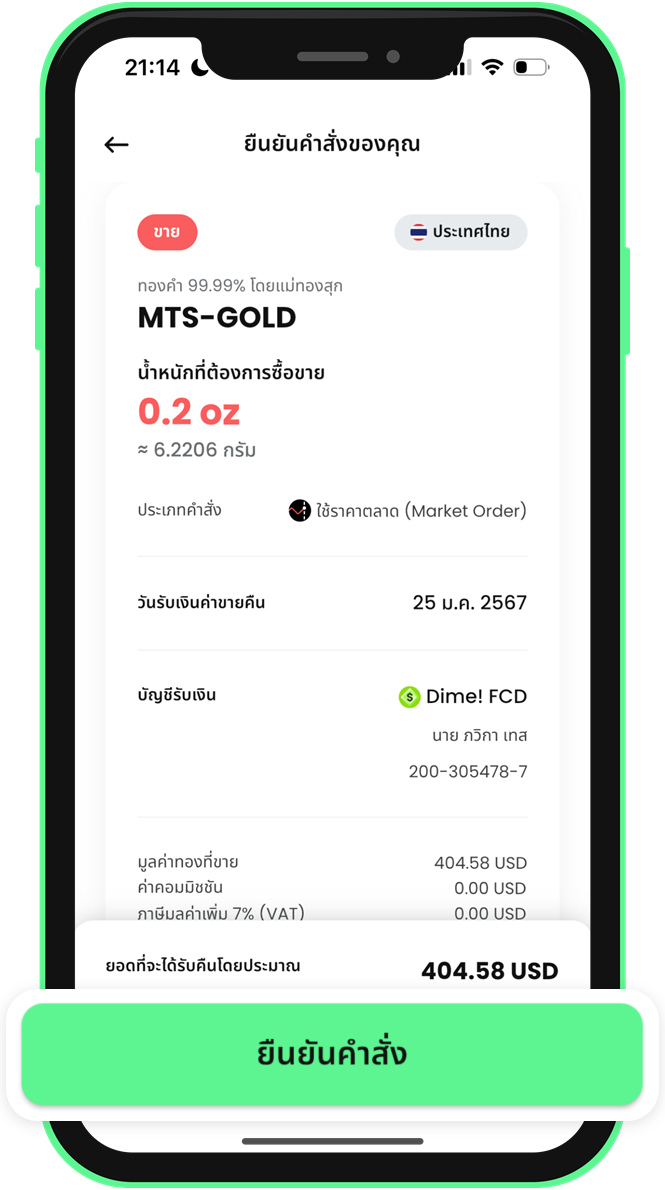 9. Review the details and confirm the sell order
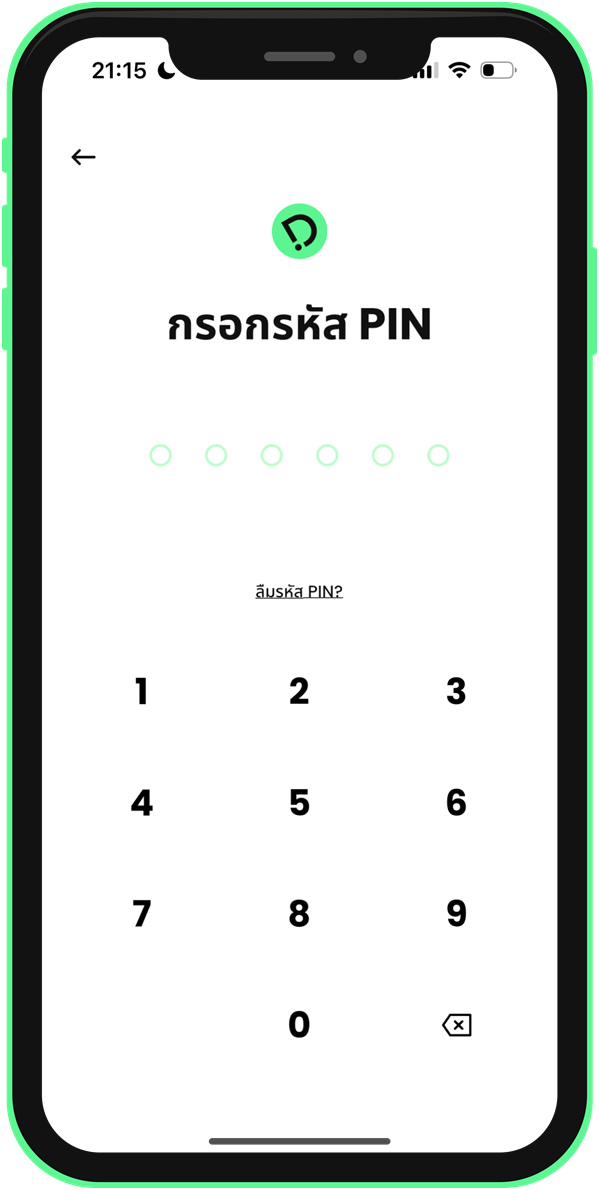 10. Enter your PIN to confirm the sell order
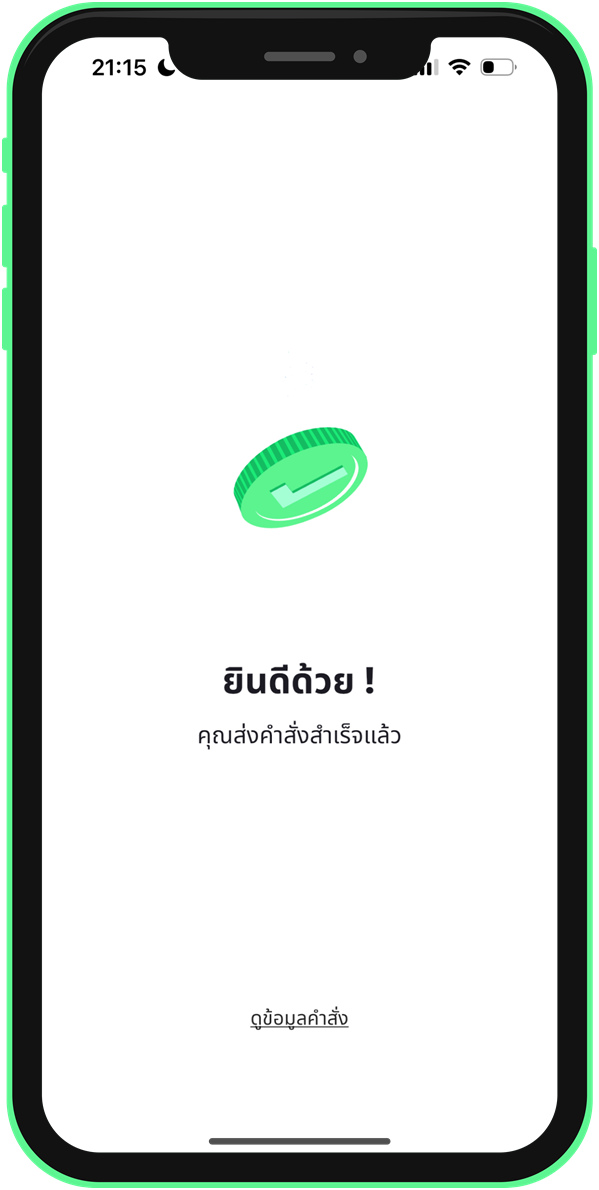 11. Sell order submitted
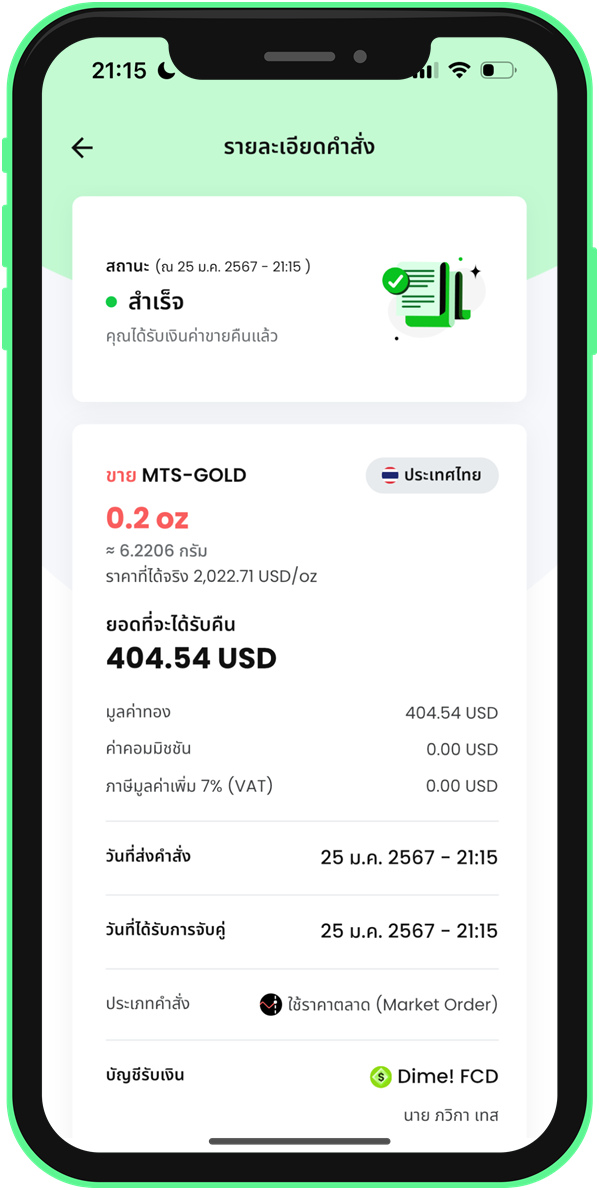 12. Check the sell order details
4. Redeem Gold
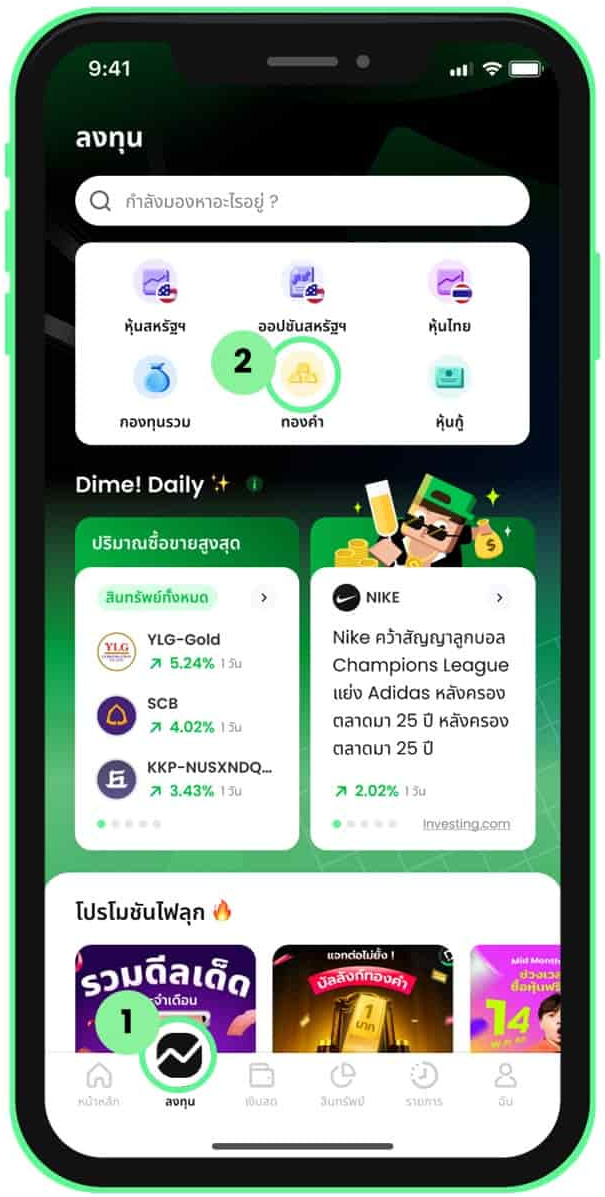 1. Select Gold from the Invest menu
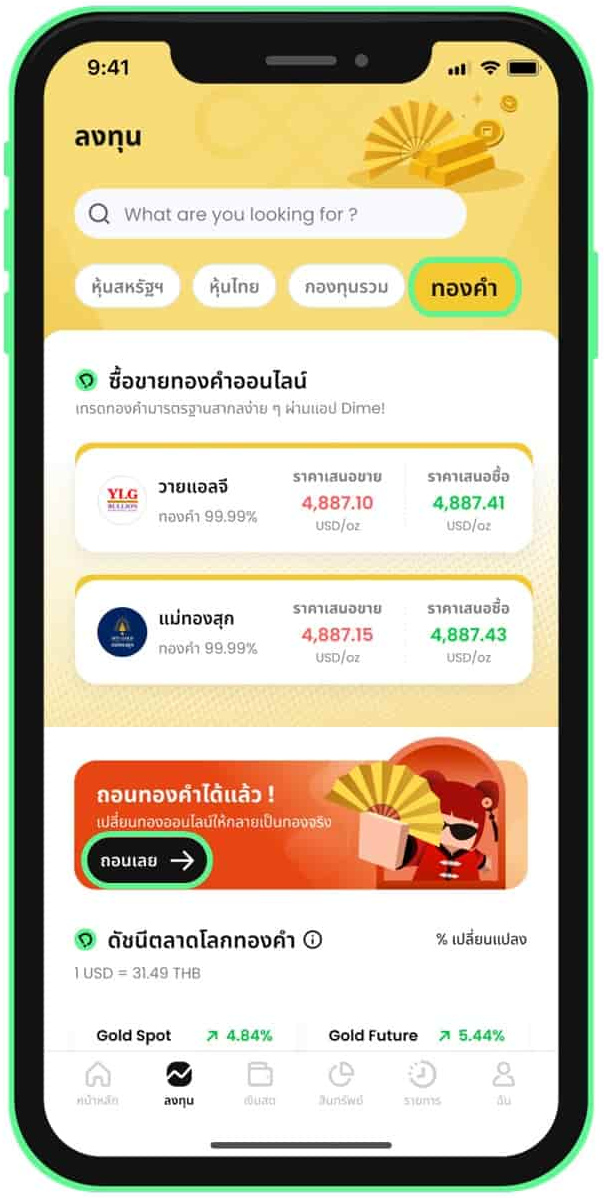 2. Tap Redeem Now on the gold investment page
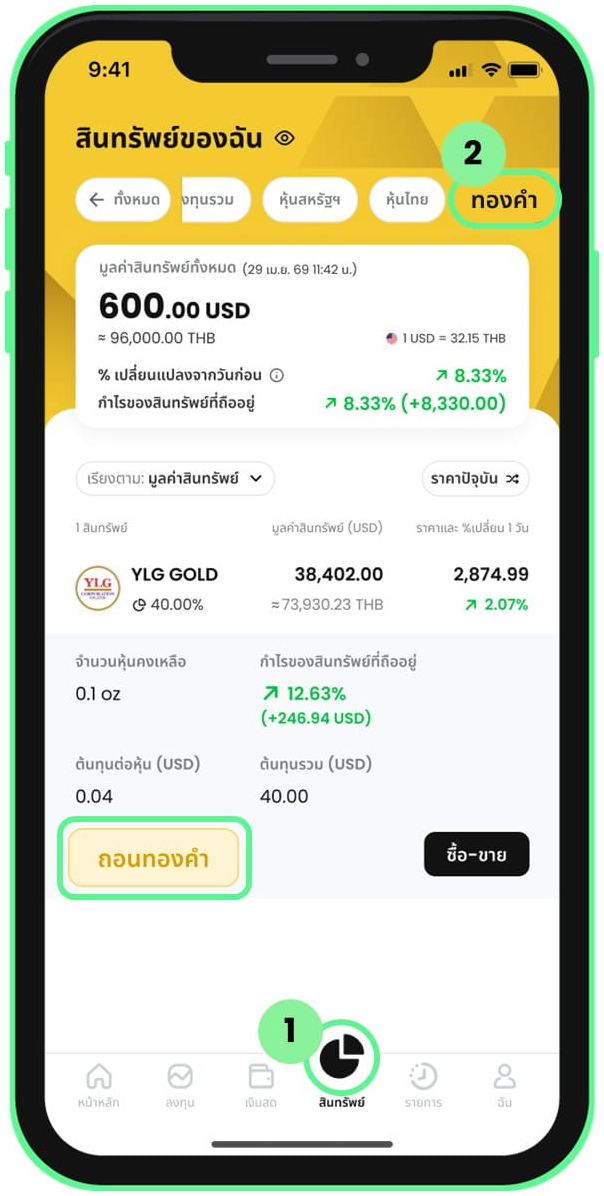 3. Or go to gold redemption via the Assets menu
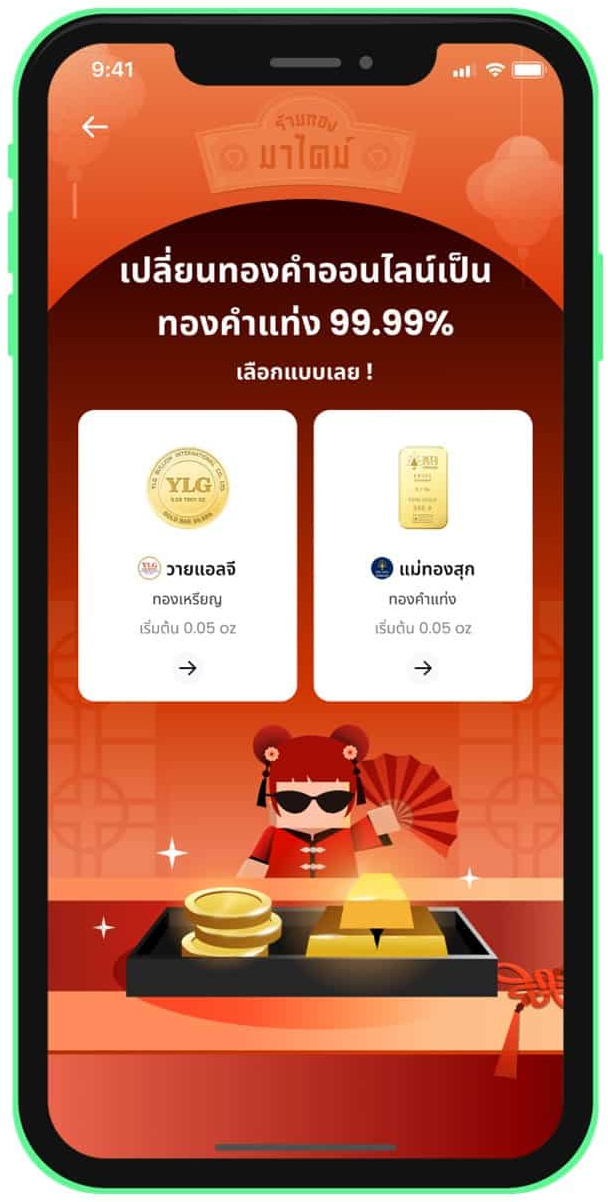 4. Select a partner gold shop
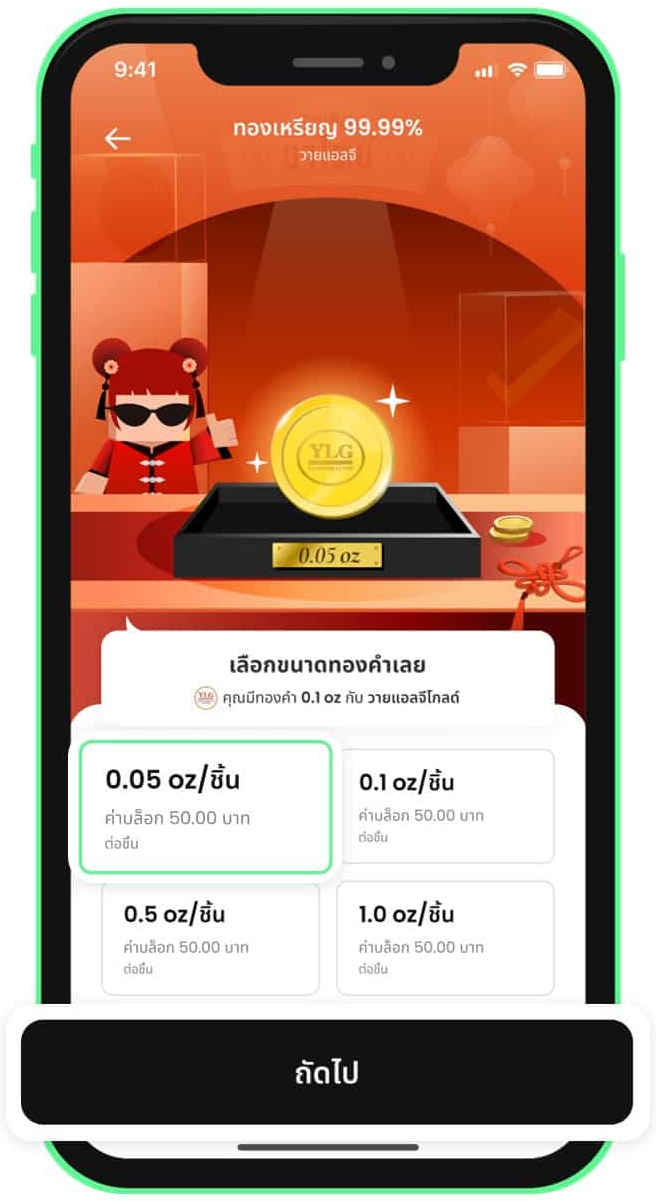 5. Select the gold size to redeem
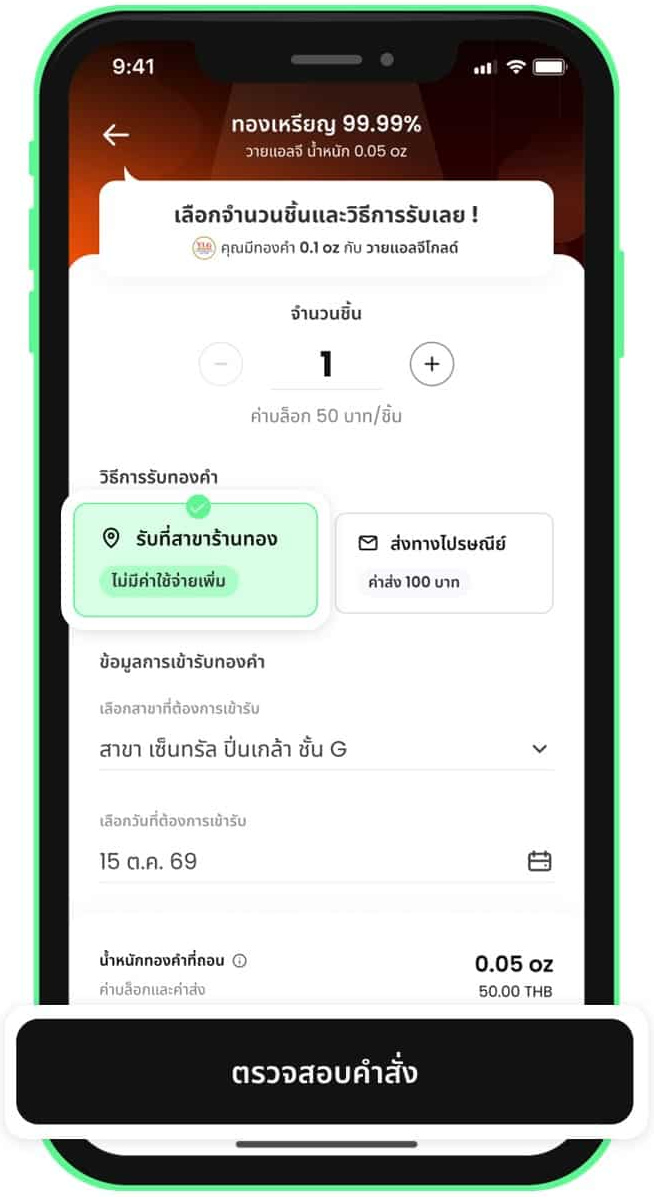 6. Branch pickup: enter the quantity and choose branch pickup
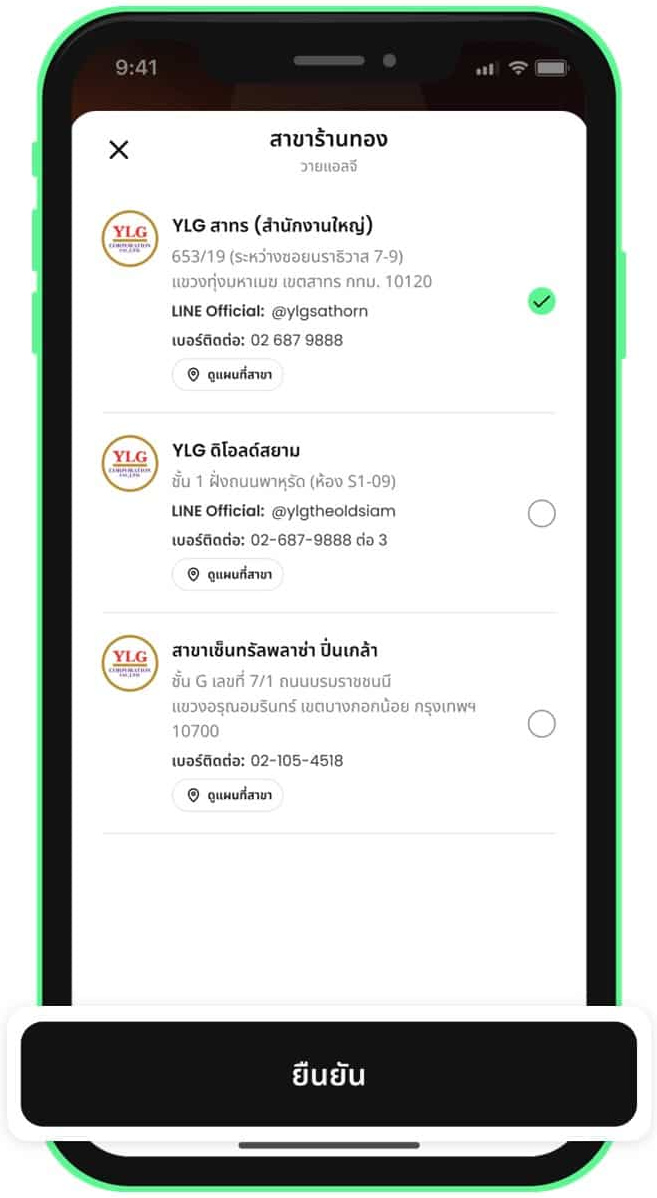 7. Branch pickup: select a gold shop branch
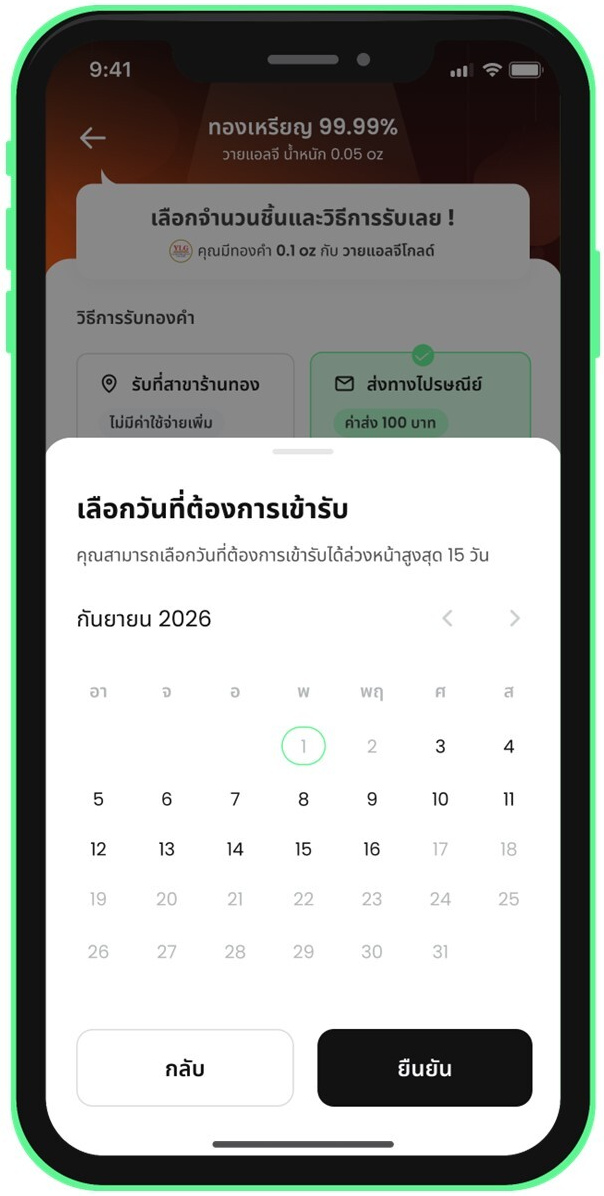 8. Branch pickup: select a pickup date
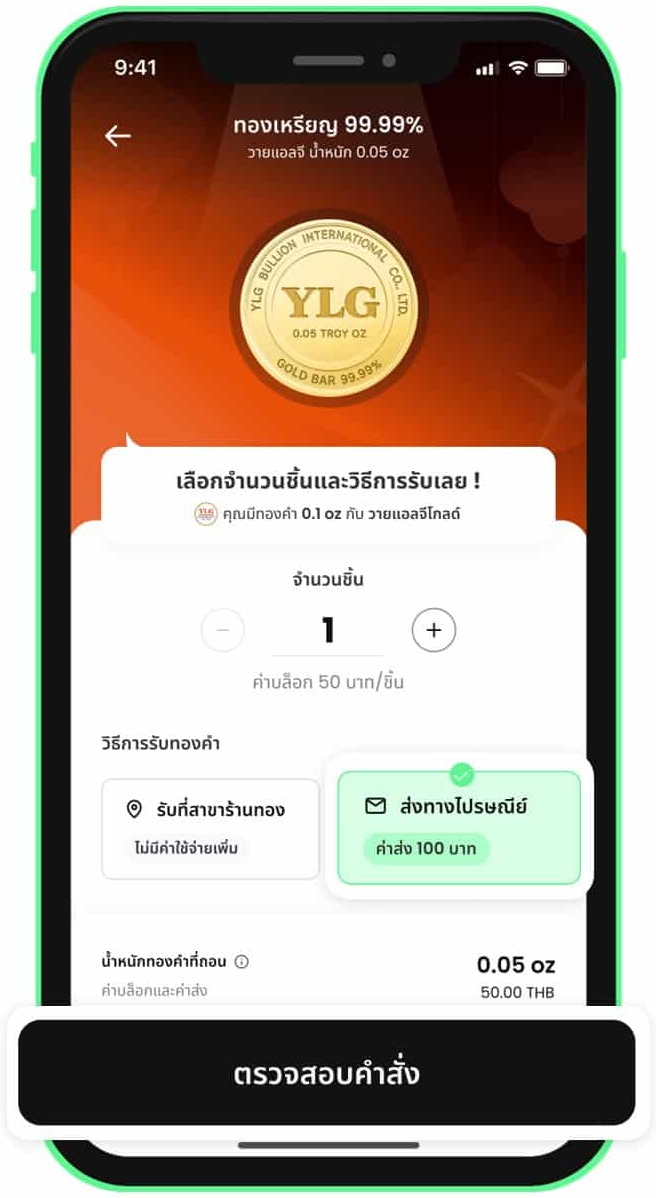 9. Postal delivery: select the delivery method
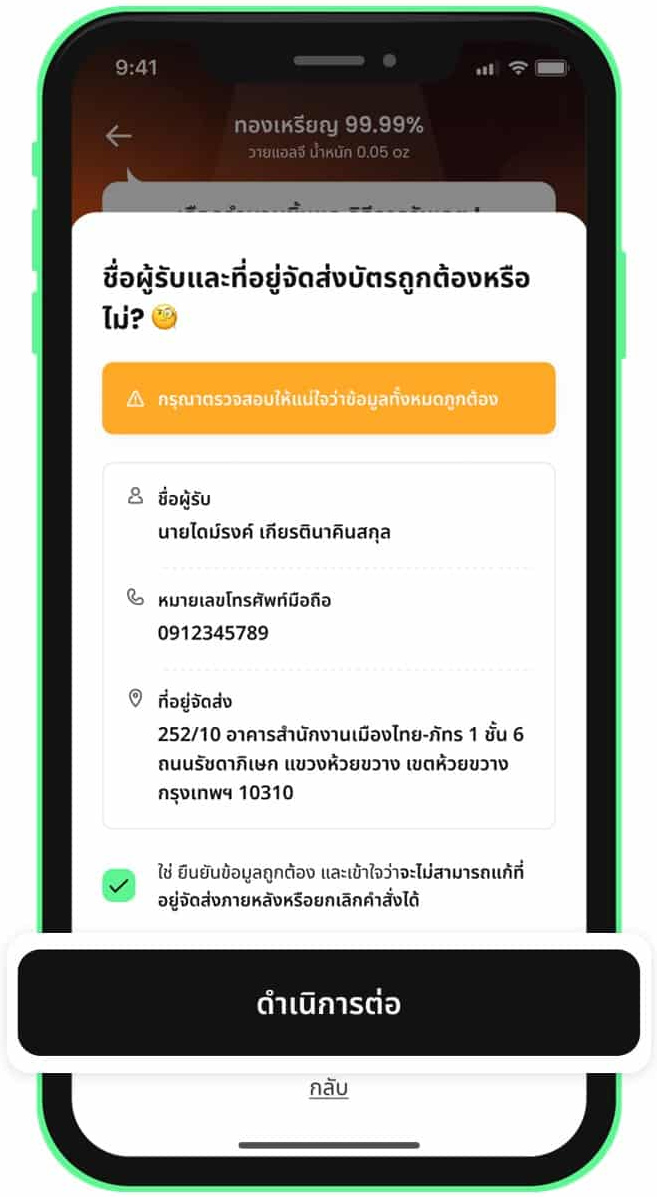 10. Postal delivery: review and confirm the address
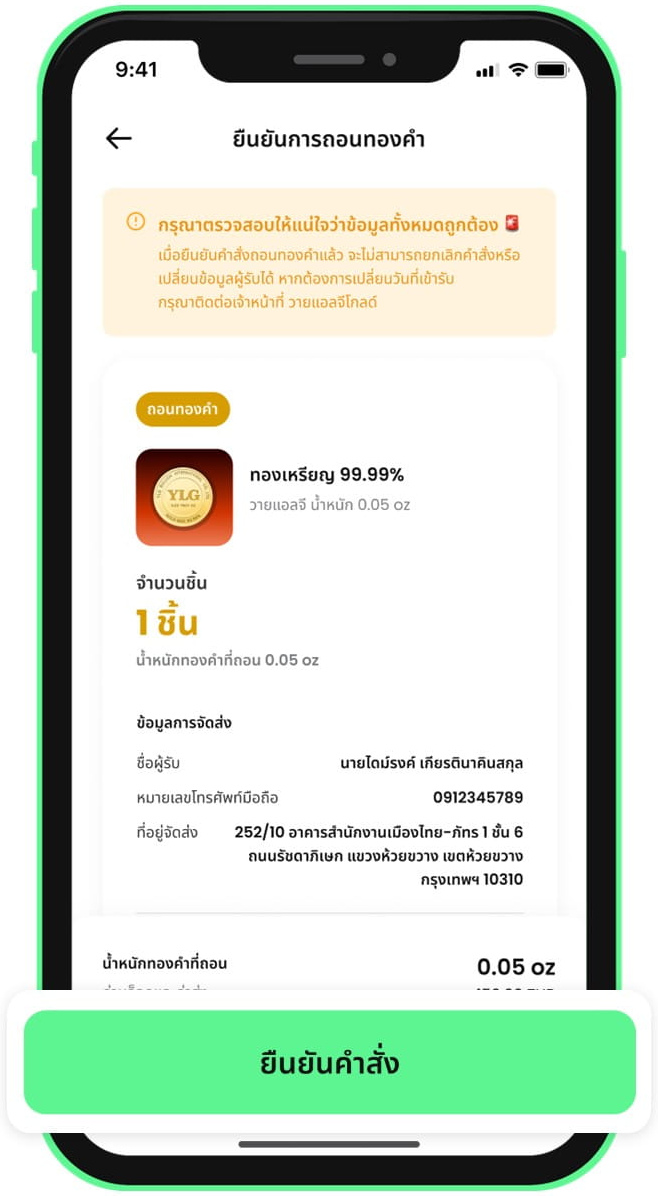 11. Review the details and confirm the redemption
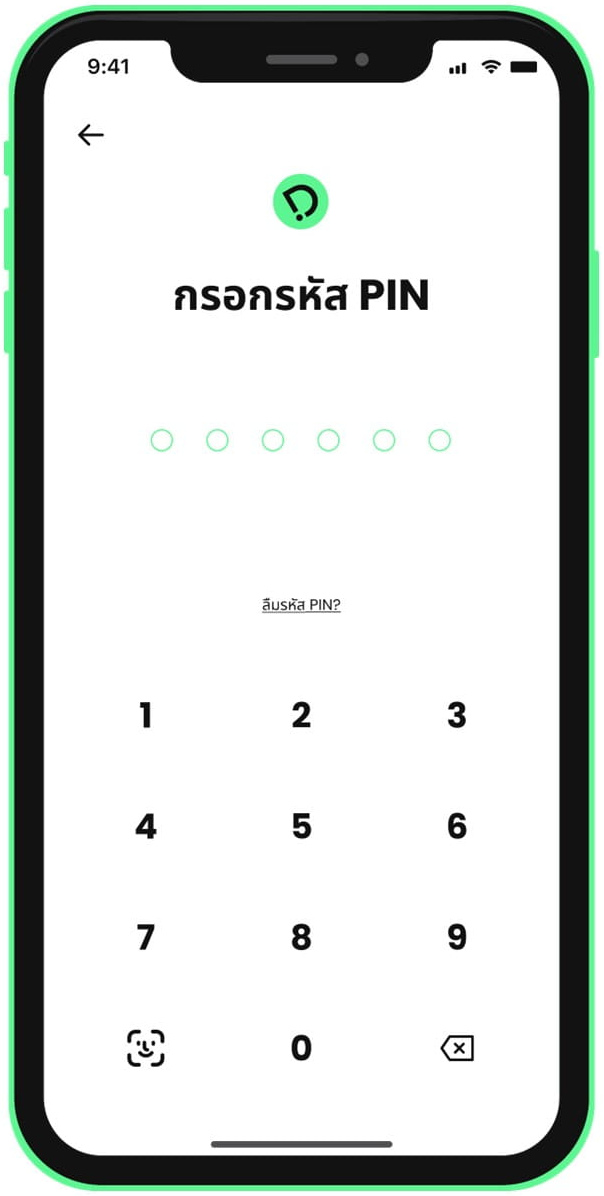 12. Enter your PIN to confirm the redemption
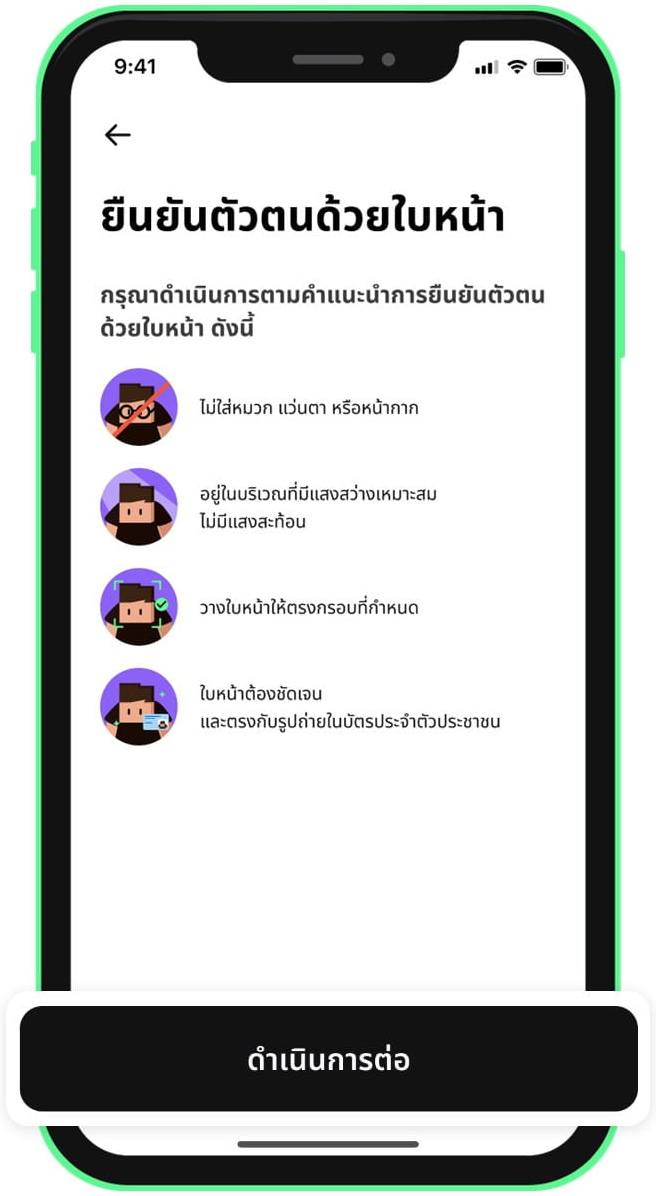 13. Verify your identity with a face scan
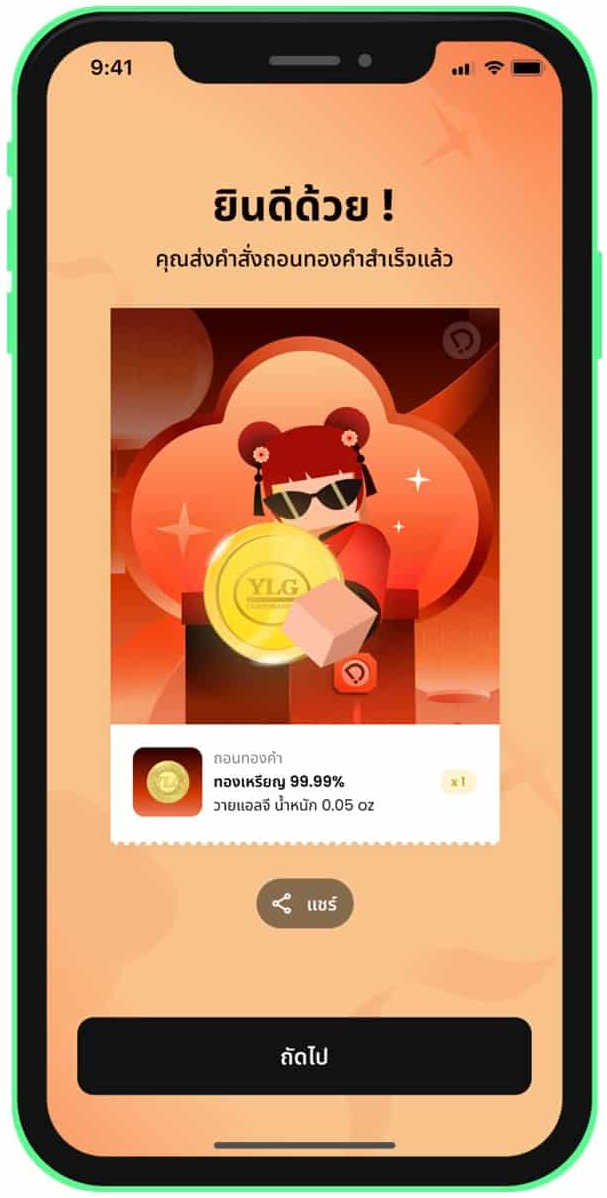 14. Redemption order submitted
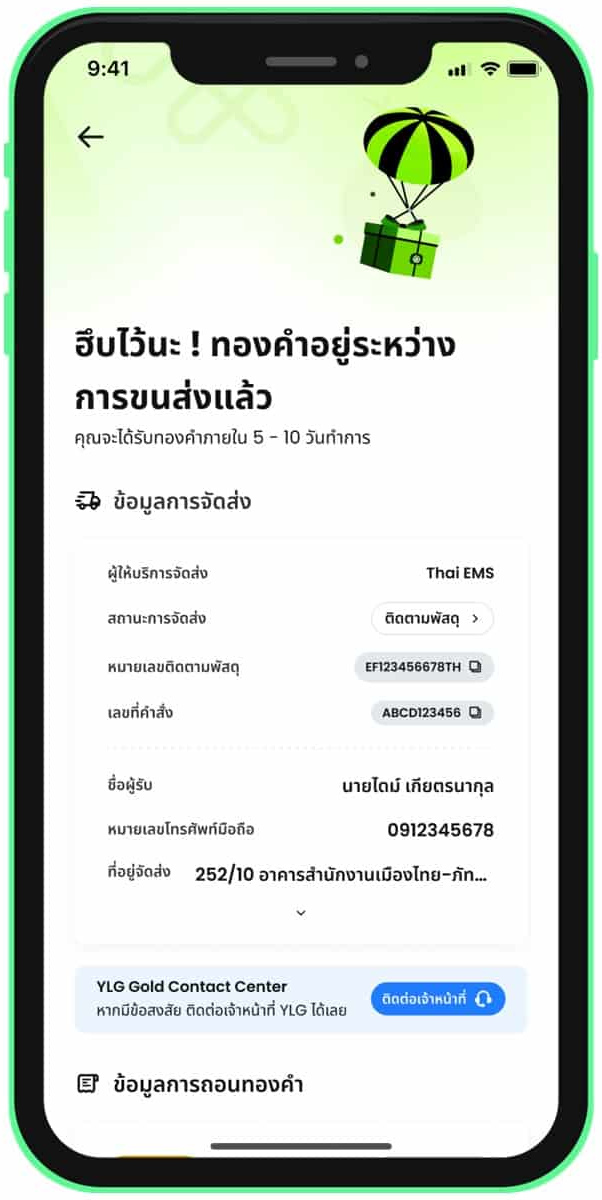 15. Check the gold delivery details
5. Check Gold Redemption Status
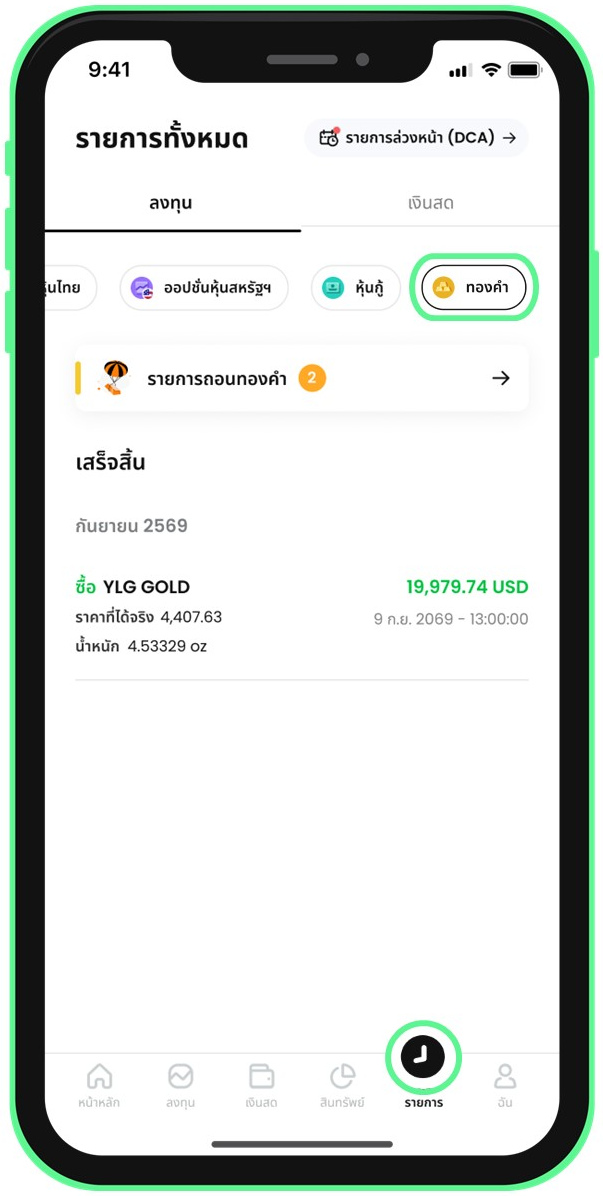 1. Open the Transactions menu and select the Gold tab
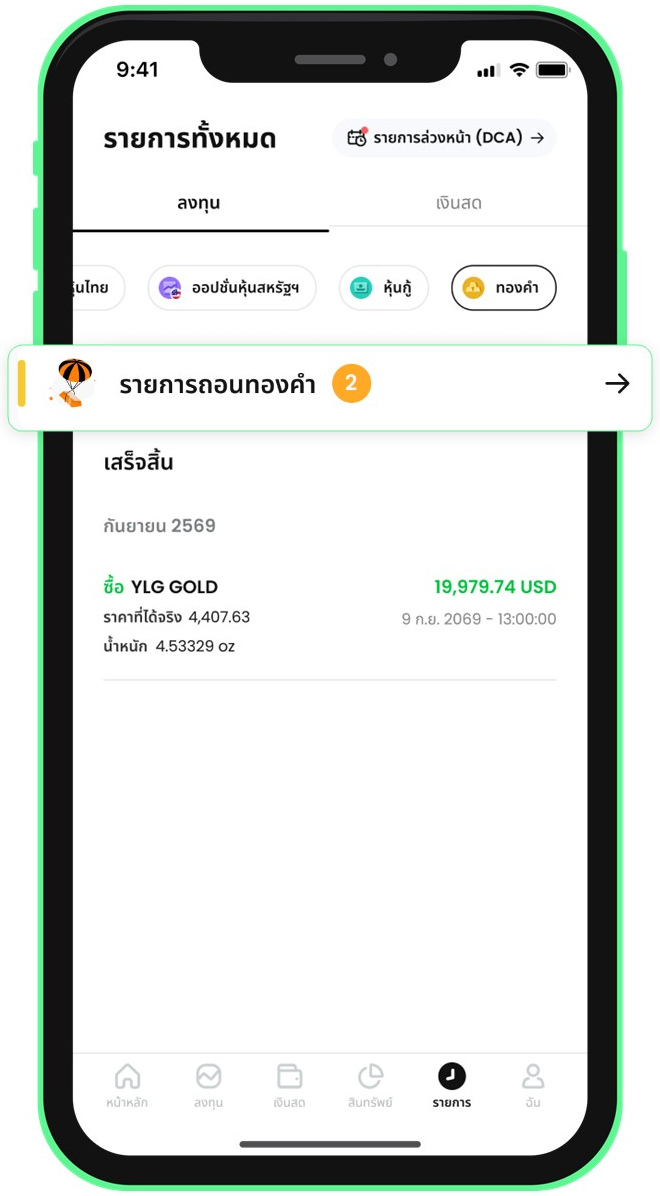 2. Select the redemption transaction
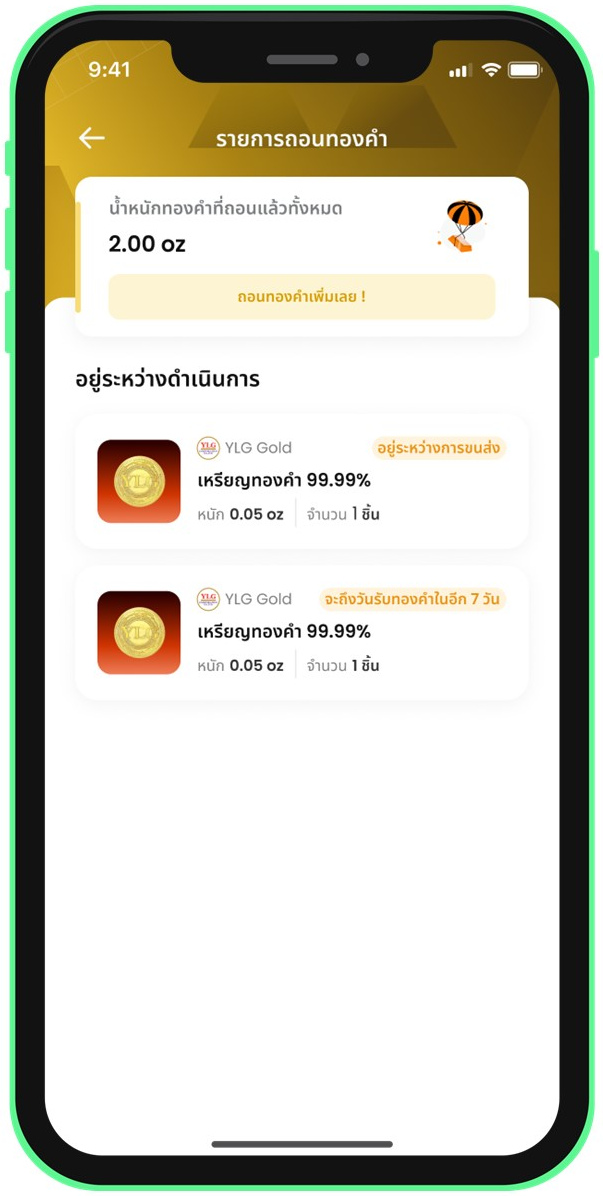 3. Check the redemption status
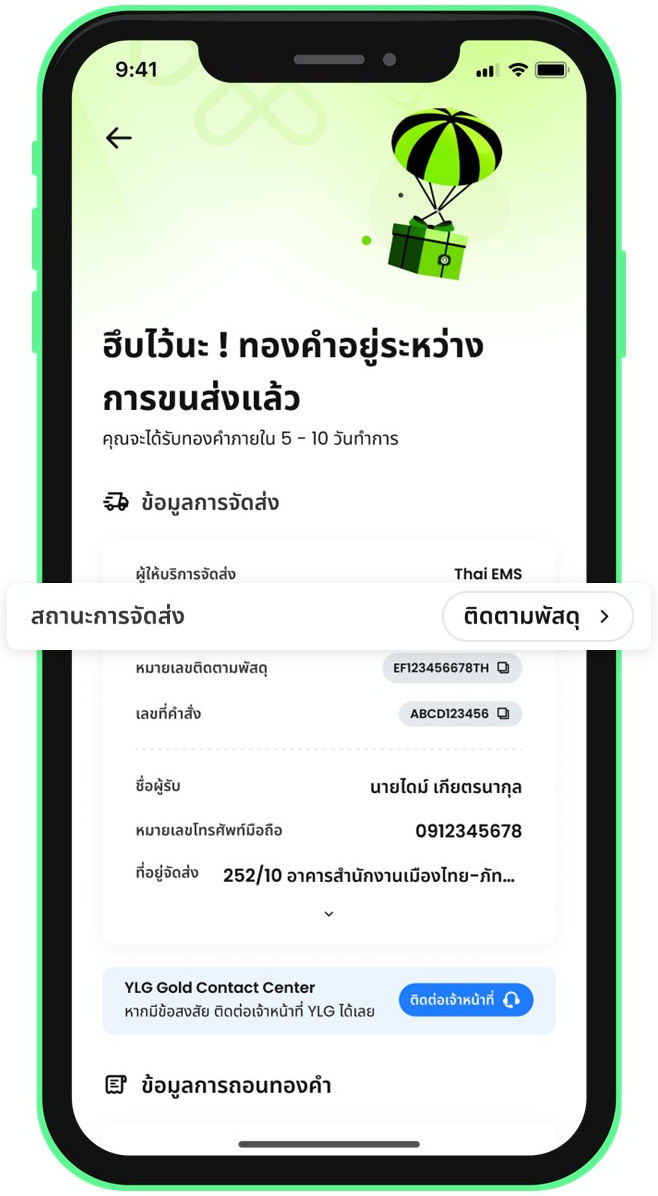 4. Track the parcel and copy the tracking number
Notes & Terms of Use
Investment involves risks. Investors should study the information, understand the product features, return conditions, and risks before deciding to invest.
Standard minimum gold sale is 0.005 oz (approx. 2.5 USD / 100 Baht). In case of selling all remaining gold (Sell All) less than 0.005 oz, orders can be submitted up to 3 times per day.
Physical gold bar redemption may incur block fees and delivery charges depending on gold size and weight.
In-branch gold pickup requires presenting order confirmation number from Dime! app along with an original National ID card.
Download Dime! App


Contact
MTS Gold (Mae Thong Suk)
Phone: 02-770-7777
LINE Official: @mtsgold
Facebook: MTS Gold
Dime! Customer Support
Contact via Help Center in Dime! application